Part II: Using the library
This chapter is a walk through the public API on every binding target. Code-first; algorithms are covered in Part III (ChESS), Part IV (Radon), and Part V (refiners).
2.1 Configuration shape
DetectorConfig has one place for every knob. Cross-cutting fields
sit at the top level; detector-specific fields are nested inside the
active strategy variant.
| Top-level field | Type |
|---|---|
strategy | DetectionStrategy::Chess(ChessConfig) or DetectionStrategy::Radon(RadonConfig) — selects the detector and carries its tuning. |
threshold | Threshold::Absolute(f32) or Threshold::Relative(f32). Absolute(0.0) is the ChESS paper’s R > 0 contract; Relative(0.01) is the Radon preset default. |
multiscale | MultiscaleConfig::SingleScale or MultiscaleConfig::Pyramid { levels, min_size, refinement_radius }. Honoured by both detectors. |
upscale | UpscaleConfig::Disabled or UpscaleConfig::Fixed(factor) (factor ∈ {2, 3, 4}). Pre-pipeline bilinear upscaling for low-resolution inputs. |
orientation_method | OrientationMethod::RingFit (default) or DiskFit. Drives the two-axis descriptor fit on both detectors. |
merge_radius | Duplicate-suppression distance (base-image pixels) for the final cross-scale merge step. |
Inside ChessConfig:
| Field | Meaning |
|---|---|
ring | ChessRing::Canonical (r=5, paper default) or ChessRing::Broad (r=10, wider support window). The single source of truth for “broad” detection. |
descriptor_ring | DescriptorRing::FollowDetector (default), Canonical, or Broad. Lets you sample the descriptor ring at a different radius than the detector. |
nms_radius | Non-maximum-suppression window half-radius, in input-image pixels. |
min_cluster_size | Minimum positive-response neighbours inside the NMS window. |
refiner | ChessRefiner::CenterOfMass(_), Forstner(_), SaddlePoint(_), or Ml (with ml-refiner). Each variant carries its own tuning struct. |
Inside RadonConfig:
| Field | Meaning |
|---|---|
ray_radius | Half-length of each ray (working-resolution pixels). Paper default at image_upsample = 2 is 4. |
image_upsample | 1 (no supersample) or 2 (paper default). Values ≥ 3 are clamped to 2. |
response_blur_radius | Half-size of the box blur applied to the response map. 0 disables blurring. |
peak_fit | PeakFitMode::Parabolic or Gaussian for the 3-point subpixel refinement. |
nms_radius | NMS half-radius, in working-resolution pixels. |
min_cluster_size | Minimum positive-response neighbours inside the NMS window. |
refiner | RadonRefiner::RadonPeak(_) or CenterOfMass(_). |
Four presets cover the common cases:
| Preset | Detector | Scale |
|---|---|---|
DetectorConfig::chess() | ChESS | Single-scale |
DetectorConfig::chess_multiscale() | ChESS | 3-level pyramid |
DetectorConfig::radon() | Radon | Single-scale |
DetectorConfig::radon_multiscale() | Radon | 3-level pyramid |
Three guarantees follow from this shape:
- One place per knob.
cfg.strategy.chess.ring = ChessRing::Broadis the only way to request the wider ChESS sampling ring. There is no parallel top-level “broad” flag. - Per-detector refiners.
ChessRefinerlists only the refiners that operate on ChESS output;RadonRefinerlists only those that operate on Radon output. AChessRefiner::RadonPeakmismatch is unrepresentable. - Enum-with-payload everywhere a knob has an “on/off + tuning”
shape.
Threshold,MultiscaleConfig,UpscaleConfig, and both refiner enums share the same encoding, so the JSON shape and the binding surface stay symmetric across all of them.
2.2 Rust
Add the facade crate:
[dependencies]
chess-corners = "0.11"
image = "0.25"          # optional, for GrayImage integration
2.2.1 Single-scale ChESS detection from an image file
use chess_corners::{Detector, DetectorConfig};
use image::io::Reader as ImageReader;

fn main() -> Result<(), Box<dyn std::error::Error>> {
    let img = ImageReader::open("board.png")?.decode()?.to_luma8();

    let cfg = DetectorConfig::chess();  // ChESS detector, defaults
    let mut detector = Detector::new(cfg)?;
    let corners = detector.detect(&img)?;

    println!("found {} corners", corners.len());
    Ok(())
}
corners is a Vec<CornerDescriptor> with subpixel positions and
per-corner intensity-fit metadata (Part I §1.4).
2.2.2 Radon detector instead of ChESS
#![allow(unused)]
fn main() {
use chess_corners::{Detector, DetectorConfig};

let cfg = DetectorConfig::radon();           // Radon detector, paper defaults
let mut detector = Detector::new(cfg)?;
let corners = detector.detect(&img)?;
}
DetectorConfig::radon() builds a DetectionStrategy::Radon(RadonConfig)
with the paper’s published defaults. The output type is the same
Vec<CornerDescriptor>.
Try Radon when ChESS’s 16-sample ring does not seed enough corners, especially on the small-cell, blur, and low-contrast cases covered by the repository tests. For throughput, ChESS is faster in the measured fixtures; see Part IV §4.5.
2.2.3 Swapping the subpixel refiner
#![allow(unused)]
fn main() {
use chess_corners::{ChessRefiner, DetectorConfig};

let cfg = DetectorConfig::chess_multiscale()
    .with_chess(|c| c.refiner = ChessRefiner::forstner());
}
Each refiner variant carries its tuning struct inline:
#![allow(unused)]
fn main() {
use chess_corners::{ChessRefiner, ForstnerConfig};

let f = ForstnerConfig {
    max_offset: 2.0,
    ..ForstnerConfig::default()
};
let refiner = ChessRefiner::Forstner(f);
}
The Radon strategy uses RadonRefiner instead — see
Part V for which refiners apply to which detector
and why.
2.2.4 Raw buffer API
If your pixels come from a camera SDK, FFI, or GPU pipeline, skip
the image crate and feed a packed &[u8]:
#![allow(unused)]
fn main() {
use chess_corners::{Detector, DetectorConfig, Threshold};

fn detect(img: &[u8], width: u32, height: u32) -> Result<(), chess_corners::ChessError> {
    let mut cfg = DetectorConfig::chess()
        .with_threshold(Threshold::Relative(0.2));

    let mut detector = Detector::new(cfg)?;
    let corners = detector.detect_u8(img, width, height)?;
    println!("found {} corners", corners.len());
    Ok(())
}
}
Requirements:
imgiswidth * heightbytes, row-major.0is black,255is white.
If your buffer has a stride or is interleaved RGB, copy the luminance channel to a packed buffer first. The facade does not resample stride; the only supported layout is tightly packed.
2.2.5 Inspecting corners
#![allow(unused)]
fn main() {
for c in &corners {
    println!(
        "({:.2}, {:.2})  response={:.1}  axes=({:.2}, {:.2}) rad",
        c.x, c.y, c.response,
        c.axes[0].angle, c.axes[1].angle,
    );
}
}
The axes field gives two directions, both in radians; they are
not assumed orthogonal. c.axes[0].sigma and c.axes[1].sigma are
1σ angular uncertainties. See
Part III §3.4
for the fit and the polarity convention.
2.3 Python
Install from PyPI:
python -m pip install chess-corners
import numpy as np
import chess_corners

img = np.zeros((128, 128), dtype=np.uint8)

cfg = chess_corners.DetectorConfig.chess_multiscale()
cfg.threshold = chess_corners.Threshold.relative(0.15)

# Nested getters return the live shared object, so direct attribute
# assignment propagates back to `cfg` — no rebuild needed:
cfg.strategy.chess.refiner = chess_corners.ChessRefiner.forstner()

detector = chess_corners.Detector(cfg)
corners = detector.detect(img)
print(corners.shape)   # (N, 9)
Detector(cfg).detect(image) accepts a 2D uint8 array shaped
(H, W) and returns a float32 array with stride 9 per corner:
[x, y, response, contrast, fit_rms,
 axis0_angle, axis0_sigma, axis1_angle, axis1_sigma]
The Python DetectorConfig mirrors the Rust type field-for-field and
supports to_dict(), from_dict(), to_json(), from_json(),
pretty(), and print(). The factory methods are chess(),
chess_multiscale(), radon(), and radon_multiscale().
Tagged enum classes follow the same idiom across the board: read
cfg.threshold.kind / cfg.threshold.value, build a new one with
Threshold.absolute(...) or Threshold.relative(...). The same
pattern applies to MultiscaleConfig.single_scale() /
.pyramid(...), UpscaleConfig.disabled() / .fixed(k),
ChessRefiner.center_of_mass(...) / .forstner(...) /
.saddle_point(...) / .ml(), and RadonRefiner.radon_peak(...) /
.center_of_mass(...).
Nested getters (cfg.strategy, cfg.strategy.chess, cfg.threshold,
cfg.multiscale, …) all return the live shared object held by the
parent — direct attribute assignment is enough:
cfg.strategy.chess.refiner = chess_corners.ChessRefiner.forstner()
cfg.strategy.chess.ring = chess_corners.ChessRing.BROAD
For chainable single-expression edits, use the with_chess(**kwargs) /
with_radon(**kwargs) builders, which return a new config with only
the named fields replaced:
cfg = cfg.with_chess(
    refiner=chess_corners.ChessRefiner.forstner(),
    ring=chess_corners.ChessRing.BROAD,
)
The Radon strategy is selected the same way:
cfg = chess_corners.DetectorConfig.radon()
If the wheel was built with ml-refiner, the ML pipeline is reached
through the same Detector(cfg).detect(img) call once the active ChESS
refiner is the ml variant:
cfg.strategy.chess.refiner = chess_corners.ChessRefiner.ml()
2.4 JavaScript / WebAssembly
Build the wasm package from source:
wasm-pack build crates/chess-corners-wasm --target web
Or consume the published npm package @vitavision/chess-corners. Usage
from a web app:
import init, {
  ChessDetector,
  ChessConfig,
  ChessRefiner,
  ChessRing,
  DetectionStrategy,
  DetectorConfig,
  ForstnerConfig,
  MultiscaleConfig,
  Threshold,
} from '@vitavision/chess-corners';

await init();

// Build a typed configuration tree.
const cfg = DetectorConfig.chessMultiscale();
cfg.threshold = Threshold.relative(0.15);
cfg.multiscale = MultiscaleConfig.pyramid(3, 128, 3); // levels, minSize, refinementRadius

const chess = new ChessConfig();
chess.ring = ChessRing.Broad;
chess.refiner = ChessRefiner.withForstner(new ForstnerConfig());
cfg.strategy = DetectionStrategy.fromChess(chess);

const detector = ChessDetector.withConfig(cfg);

// From a canvas (webcam frame, loaded image, etc.)
const imageData = ctx.getImageData(0, 0, width, height);
const corners = detector.detect_rgba(imageData.data, width, height);

// corners is Float32Array, stride 9 per corner — same layout as Python.
for (let i = 0; i < corners.length; i += 9) {
    console.log(`(${corners[i].toFixed(2)}, ${corners[i + 1].toFixed(2)})`);
}

// Raw response map, for heatmap visualisation (opt-in diagnostic).
const response = detector.diagnostics_response_rgba(imageData.data, width, height);
ChessDetector reads and writes its full configuration through the
typed tree — detector.getConfig() returns an independent
DetectorConfig snapshot and detector.applyConfig(cfg) commits
edits. The factory functions on the tagged classes follow the same
with* idiom: ChessRefiner.withForstner(cfg),
ChessRefiner.withCenterOfMass(cfg),
ChessRefiner.withSaddlePoint(cfg), RadonRefiner.withRadonPeak(cfg),
RadonRefiner.withCenterOfMass(cfg), MultiscaleConfig.singleScale(),
MultiscaleConfig.pyramid(levels, minSize, refinementRadius), UpscaleConfig.disabled(),
UpscaleConfig.fixed(factor).
2.5 CLI
cargo run -p chess-corners --release --bin chess-corners -- \
    run config/chess_cli_config_example.json
The CLI:
- Loads the image at the config’s
imagefield. - Picks single-scale or multiscale from the top-level
multiscalefield. - Picks ChESS or Radon from
strategy(the top-level variant). - Picks the refiner from the strategy’s nested
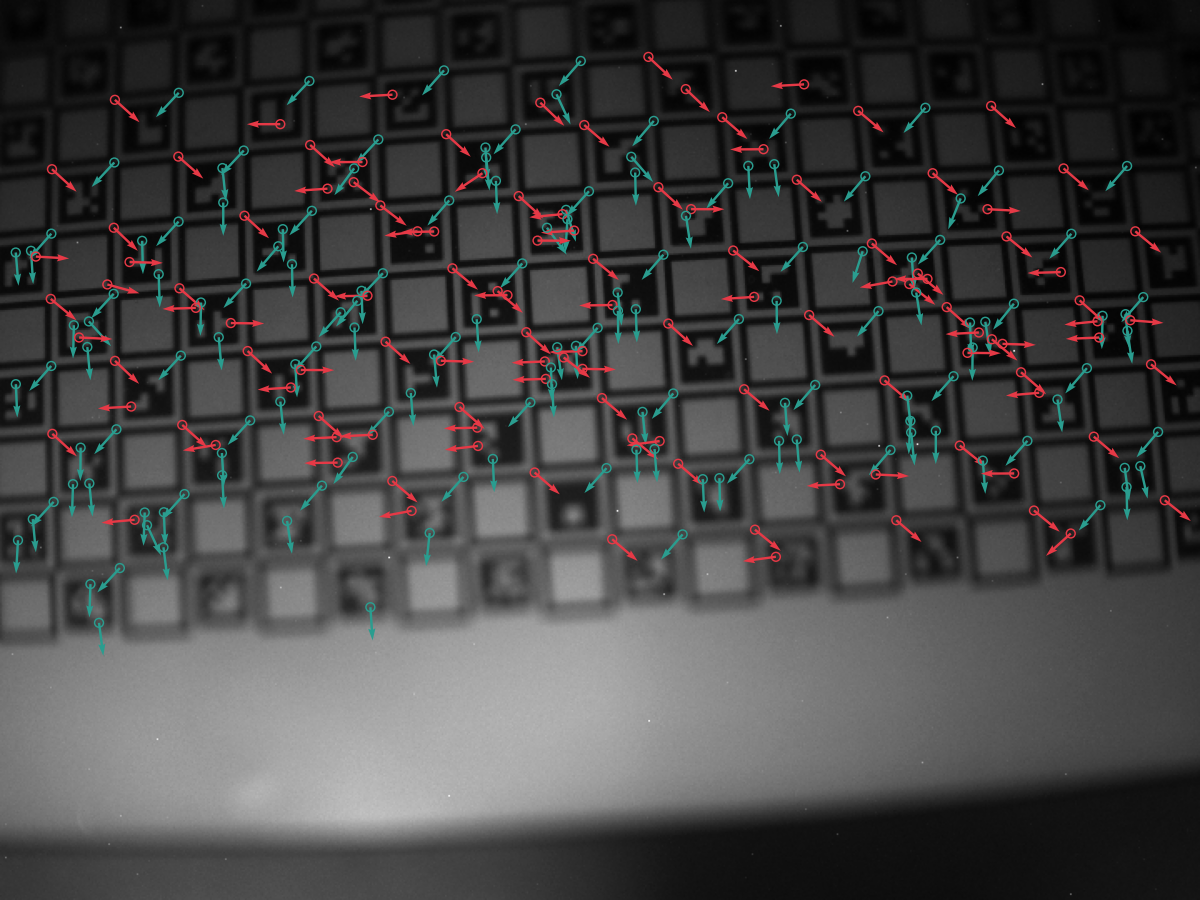
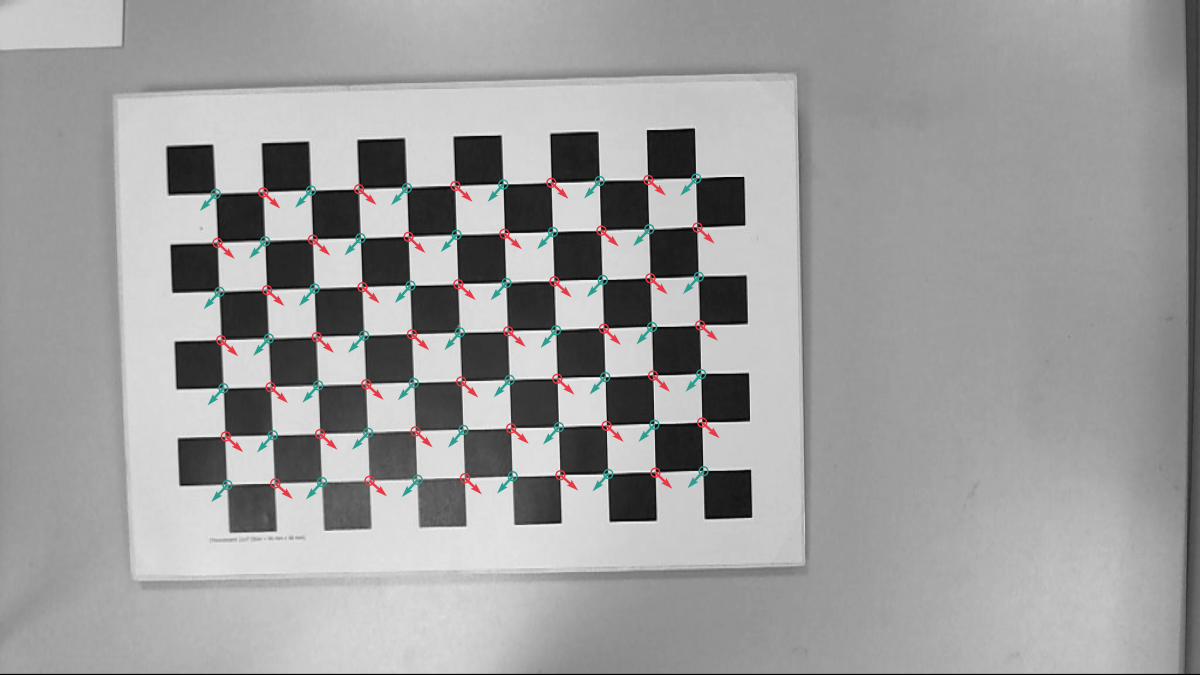
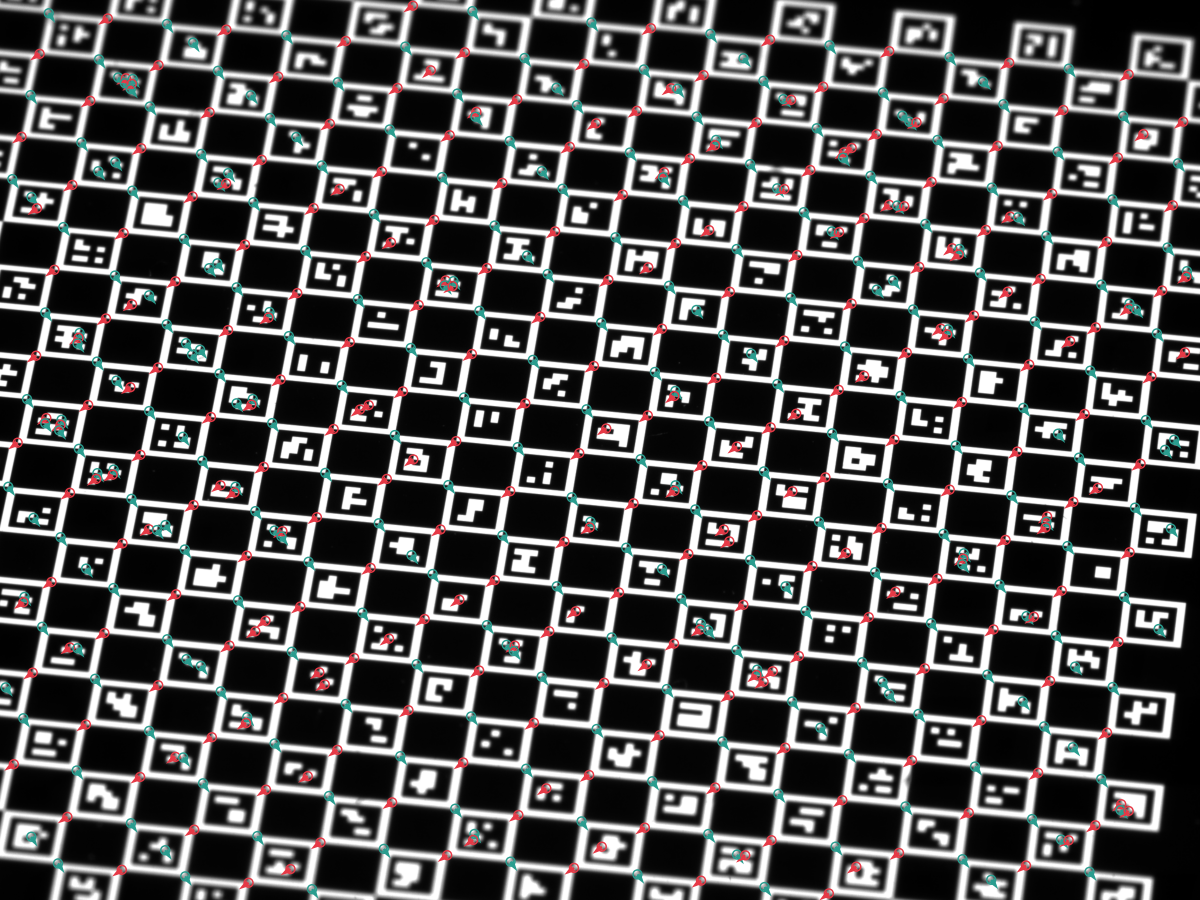
refinerblock. - Writes a JSON summary and a PNG overlay with one mark per corner.
The JSON config is the same DetectorConfig schema as the Rust and
Python APIs, wrapped in a CLI envelope that adds image,
output_json, output_png, log_level, and ml:
{
  "image": "testimages/mid.png",
  "strategy": {
    "chess": {
      "ring": "canonical",
      "descriptor_ring": "follow_detector",
      "nms_radius": 2,
      "min_cluster_size": 2,
      "refiner": { "center_of_mass": { "radius": 2 } }
    }
  },
  "threshold": { "absolute": 0.0 },
  "multiscale": "single_scale",
  "upscale": "disabled",
  "orientation_method": "ring_fit",
  "merge_radius": 3.0,
  "output_json": null,
  "output_png": null,
  "log_level": "info"
}
Example configs under config/:
chess_algorithm_config_example.json— just the algorithm fields, the pureDetectorConfigshape shared with the Rust and Python APIs.chess_cli_config_example.json— algorithm fields plus CLI I/O envelope.chess_cli_config_example_ml.json— same, with the ML refiner enabled. Requires a binary built with--features ml-refiner.
Per-flag overrides (applied on top of the JSON):
--threshold-absolute <v>/--threshold-relative <f>--chess-ring canonical|broad--descriptor-ring follow_detector|canonical|broad--chess-refiner center_of_mass|forstner|saddle_point--radon-refiner radon_peak|center_of_mass--pyramid-levels <n>(1 = single-scale)--upscale-factor 0|2|3|4
Overlay examples on the sample images in testdata/:
2.6 ML refiner
The ML refiner is a separate, optional code path. Enable it by
building with --features ml-refiner (Rust) or by installing a
wheel built with the same feature (Python), then pick the
Ml variant on the active ChESS refiner:
#![allow(unused)]
fn main() {
#[cfg(feature = "ml-refiner")]
{
use chess_corners::{ChessRefiner, Detector, DetectorConfig};

let cfg = DetectorConfig::chess_multiscale()
    .with_chess(|c| c.refiner = ChessRefiner::Ml);

let mut detector = Detector::new(cfg).unwrap();
let corners = detector.detect(&img).unwrap();
}
}
The ML path:
- Runs the ChESS detector to produce seeds.
- Feeds each seed’s 21×21 neighborhood through the embedded
ONNX model (
chess_refiner_v4.onnx, ~180 K params). - Replaces the seed position with the model’s predicted
(dx, dy)offset. - Falls back to the configured classical refiner if the ML path rejects or times out.
The algorithm and its limits are covered in Part V §5.6. The ML refiner is not a direct replacement for RadonPeak: in the Part VIII synthetic benchmark, RadonPeak has lower clean/blurred error and ML has lower mean error on the heaviest noise row.
The ML refiner lives on the ChESS strategy only — RadonRefiner does
not list an Ml variant.
2.7 Radon heatmap (visualization)
The Radon detector computes a dense (max_α S_α − min_α S_α)²
response heatmap as an intermediate step. The heatmap is exposed
across all wrappers for visualization, debugging, and downstream
tooling — useful when tuning ray_radius, image_upsample, or the
threshold floor.
The heatmap is returned at working resolution: the input is
optionally upscaled (DetectorConfig.upscale) and then internally
supersampled by the Radon detector (RadonConfig.image_upsample,
default 2). The working-to-input scale factor is therefore
upscale_factor * image_upsample. Multiply input-pixel coordinates by
this factor to land on heatmap pixels.
Rust:
#![allow(unused)]
fn main() {
use chess_corners::diagnostics::radon_heatmap_u8;
use chess_corners::DetectorConfig;

fn run(img: &[u8], width: u32, height: u32) {
let cfg = DetectorConfig::radon();
let map = radon_heatmap_u8(img, width, height, &cfg);
println!("heatmap {}×{}, max = {:.1}",
    map.width(), map.height(),
    map.data().iter().copied().fold(f32::NEG_INFINITY, f32::max));
}
}
Python:
import chess_corners
import numpy as np

cfg = chess_corners.DetectorConfig.radon()
detector = chess_corners.Detector(cfg)
heatmap = detector.radon_heatmap(img)  # (H', W') float32
print(heatmap.shape, heatmap.dtype, float(heatmap.max()))
WebAssembly (JS):
import init, { ChessDetector, DetectorConfig } from '@vitavision/chess-corners';

await init();
const det = ChessDetector.withConfig(DetectorConfig.radon());

const heatmap = det.diagnostics_radon_heatmap(grayPixels, width, height);
const w = det.diagnostics_radon_heatmap_width();
const h = det.diagnostics_radon_heatmap_height();
const scale = det.diagnostics_radon_heatmap_scale();  // working-to-input factor
console.log('heatmap', w, 'x', h, 'scale', scale);
The heatmap is independent from corner detection: calling it does not require the active strategy to be Radon, and it does not return corners.
In this part we focused on the public faces of the detector: the
image helper, the raw buffer API, the CLI, and the Python and JS
bindings. In the next parts we will look under the hood at how the
ChESS response is computed, how the detector turns responses into
subpixel corners, and how the multiscale pipeline is structured.
Next: Part III describes the ChESS response kernel, the detection pipeline, and the corner descriptor fit. Part IV covers the Radon detector.