Introduction
calib-targets-rs is a workspace of Rust crates for detecting and modeling planar calibration targets from corner clouds (for example, ChESS corners). The focus is geometry-first: target modeling, grid fitting, and rectification live here, while image I/O and corner detection are intentionally out of scope.
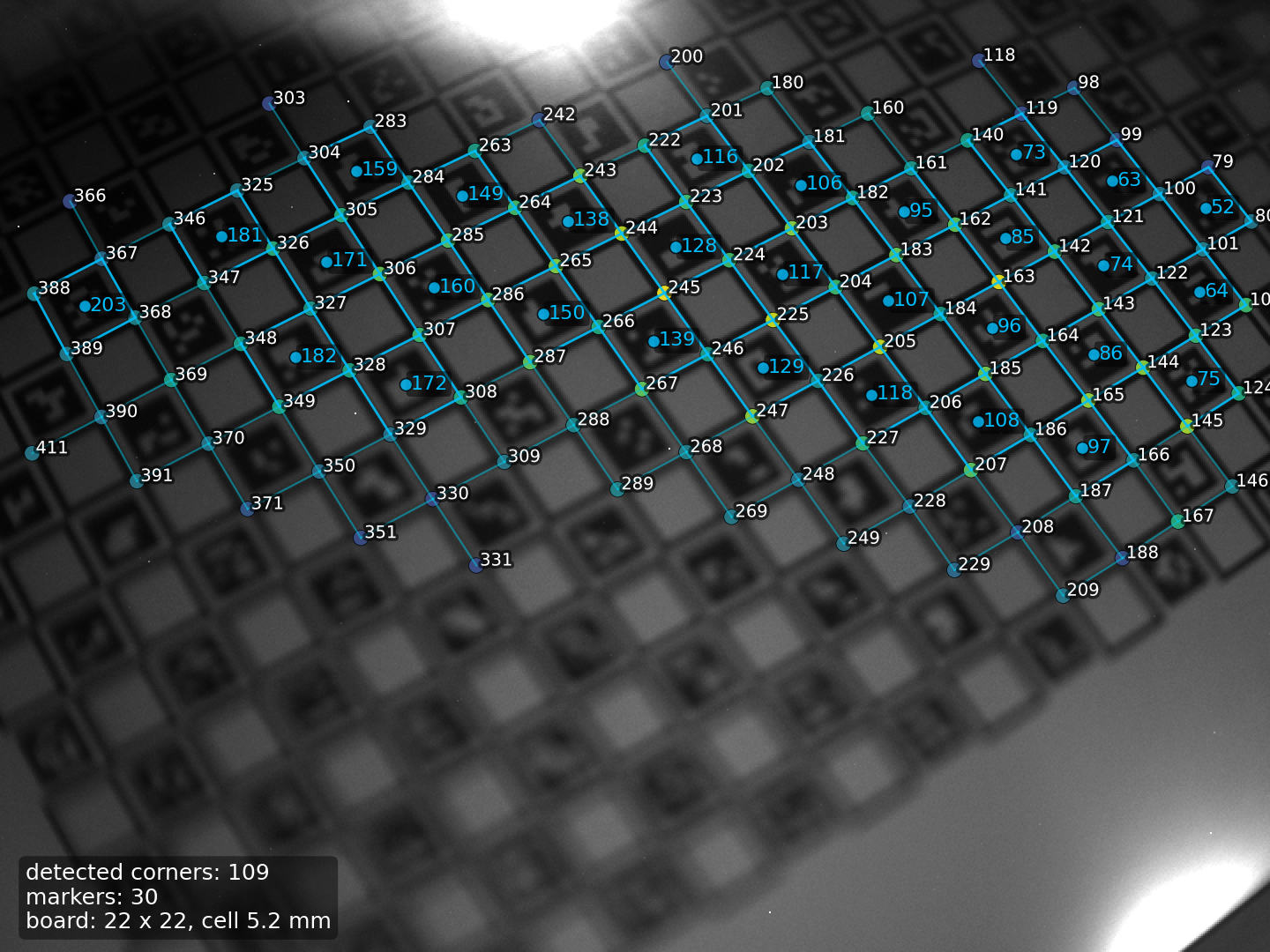 ChArUco detection overlay on a small board.
What it is:
- A small, composable set of crates for chessboard, ChArUco, PuzzleBoard, and marker-style targets.
- A set of geometric primitives (homographies, rectified views, grid coords).
- Practical examples and tests based on the
chess-cornerscrate.
What it is not:
- A replacement for your corner detector or image pipeline.
- A full calibration stack (no camera calibration or PnP here).
Recommended reading order:
- Project Overview and Conventions
- Pipeline Overview
- Crate chapters, starting with calib-targets-core and calib-targets-chessboard
Quickstart
Install the facade crate (the image feature is enabled by default):
cargo add calib-targets image
Minimal chessboard detection:
use calib_targets::detect;
use calib_targets::chessboard::DetectorParams;
use image::ImageReader;
fn main() -> Result<(), Box<dyn std::error::Error>> {
let img = ImageReader::open("board.png")?.decode()?.to_luma8();
let params = DetectorParams::default();
let result = detect::detect_chessboard(&img, ¶ms);
println!("detected: {}", result.is_some());
Ok(())
}Python bindings
Python bindings are built with maturin:
pip install maturin
maturin develop
python crates/calib-targets-py/examples/detect_chessboard.py path/to/image.png
The calib_targets module exposes detect_chessboard, detect_charuco,
detect_puzzleboard, and detect_marker_board. The public API is
dataclass-first: config inputs are typed models and detector results are typed
dataclasses with to_dict()/from_dict(...) helpers for JSON interoperability.
detect_charuco requires params and the board lives in params.board.
For marker boards, target_position is populated only when
params.layout.cell_size is set and alignment succeeds.
MSRV: Rust 1.88 (stable).
Interactive Playground
The same detectors shipped in the Rust facade — chessboard, ChArUco,
PuzzleBoard, and marker board — also run directly in the browser via
WebAssembly. The npm package is
@vitavision/calib-targets;
the playground below is a thin React UI on top of it. No data leaves your
machine: detection happens in the WASM module loaded into this page.
What it does
| Surface | Description |
|---|---|
| Image input | Drop or browse a file, or generate a synthetic chessboard / ChArUco / marker / PuzzleBoard target in WASM. |
| Detection mode | Switch between corner detection and the four target detectors. |
| 3-config sweep | Toggle detect_*_best to try the built-in 3-config preset and keep the best result. |
| Live tuning | ChESS threshold / NMS / pyramid plus per-detector knobs (board dims, dictionary, marker size, board size, bit confidence). |
| Overlays | Detected corners colour-coded by grid position; PuzzleBoard edge bits drawn at decoded edge midpoints. |
| JSON dump | Toggle the raw serde_json payload returned by the WASM call — the same shape the Rust facade emits. |
Running locally
If the embedded iframe fails to load (older browsers without
WebAssembly or ES modules support), build and run the demo standalone:
scripts/build-wasm.sh                       # populates demo/pkg/
cd demo && bun install && bun run dev       # http://localhost:5173
To use the same WASM module from your own web app:
npm install @vitavision/calib-targets
import init, {
  default_chess_config,
  default_chessboard_params,
  detect_chessboard,
  rgba_to_gray,
} from "@vitavision/calib-targets";

await init();
const gray = rgba_to_gray(rgba, width, height);
const result = detect_chessboard(
  width, height, gray,
  default_chess_config(),
  default_chessboard_params(),
);
The full TypeScript surface — default_*_params(...),
*_sweep_*(...), render_*_png(...), and list_aruco_dictionaries() —
is documented in the package README and ships as .d.ts declarations
alongside the WASM module.
Getting Started: From Target to Calibration Data
This tutorial walks you through the complete workflow:
- Choose the right calibration target for your use case.
- Generate a printable target file.
- Print it correctly.
- Write detection code in Python or Rust.
No prior knowledge of the library is assumed.
Step 1: Choose your target type
| Target | Best for | Requires |
|---|---|---|
| Chessboard | Quick start, simple intrinsic calibration | Nothing — no markers |
| ChArUco | Robust calibration, partial visibility OK, absolute corner IDs | ArUco dictionary |
| Marker board | Scenes where a full chessboard is impractical | Custom layout |
If you are unsure, start with ChArUco. It combines the subpixel accuracy of chessboard corners with the robustness of ArUco markers. Each detected corner carries a unique ID and a real-world position in millimeters, so partial views of the board are useful and board orientation is unambiguous.
If you want the absolute simplest path and only need basic intrinsic calibration, use the plain chessboard.
Step 2: Generate a printable target
Pick the language you are most comfortable with. All paths produce the same three output
files: <stem>.json, <stem>.svg, <stem>.png.
Python
pip install calib-targets
import calib_targets as ct

# ChArUco: 5 rows × 7 cols, 20 mm squares, DICT_4X4_50 markers
doc = ct.PrintableTargetDocument(
    target=ct.CharucoTargetSpec(
        rows=5,
        cols=7,
        square_size_mm=20.0,
        marker_size_rel=0.75,
        dictionary="DICT_4X4_50",
    )
)
written = ct.write_target_bundle(doc, "my_board/charuco_a4")
print(written.png_path)   # open this to preview
For a plain chessboard instead:
doc = ct.PrintableTargetDocument(
    target=ct.ChessboardTargetSpec(
        inner_rows=6,
        inner_cols=8,
        square_size_mm=25.0,
    )
)
ct.write_target_bundle(doc, "my_board/chessboard_a4")
CLI
cargo install calib-targets installs the Rust binary;
pip install calib-targets installs the same command as a Python console
script. One-step generation:
calib-targets gen charuco \
  --out-stem my_board/charuco_a4 \
  --rows 5 --cols 7 --square-size-mm 20 \
  --marker-size-rel 0.75 --dictionary DICT_4X4_50

# Or the reviewable three-step flow:
calib-targets list-dictionaries
calib-targets init charuco \
  --out my_board/charuco_a4.json \
  --rows 5 --cols 7 --square-size-mm 20 \
  --marker-size-rel 0.75 --dictionary DICT_4X4_50
calib-targets validate --spec my_board/charuco_a4.json
calib-targets generate --spec my_board/charuco_a4.json \
  --out-stem my_board/charuco_a4
Rust
use calib_targets::printable::{write_target_bundle, PrintableTargetDocument};

fn main() -> Result<(), Box<dyn std::error::Error>> {
    let doc = PrintableTargetDocument::load_json("my_board/charuco_a4.json")?;
    let written = write_target_bundle(&doc, "my_board/charuco_a4")?;
    println!("{}", written.png_path.display());
    Ok(())
}
See calib-targets-print for the full JSON schema and more options.
Step 3: Print it
Open my_board/charuco_a4.svg (or the .png at the generated DPI) in your
printer dialog:
- Set scale to 100% / “actual size”. Disable “fit to page”, “shrink to fit”, or any equivalent driver option.
- After printing, measure one square width with a ruler or caliper and confirm it
matches
square_size_mm(20 mm in the example above). - If the size is wrong, fix the print dialog and reprint — do not compensate in code.
- Mount or tape the target flat to a rigid surface. Warping or bowing degrades calibration accuracy significantly.
- Prefer the SVG for professional print workflows; use the PNG for quick office printing (check the DPI matches your printer resolution).
Step 4: Detect corners in Python
The board spec used for detection must match the one used for generation exactly.
import numpy as np
from PIL import Image
import calib_targets as ct

def load_gray(path: str) -> np.ndarray:
    return np.asarray(Image.open(path).convert("L"), dtype=np.uint8)

# Board spec — must match the generated target
board = ct.CharucoBoardSpec(
    rows=5,
    cols=7,
    cell_size=20.0,          # mm; gives target_position in mm
    marker_size_rel=0.75,
    dictionary="DICT_4X4_50",
    marker_layout=ct.MarkerLayout.OPENCV_CHARUCO,
)

params = ct.CharucoParams(board=board)

image = load_gray("frame.png")

try:
    result = ct.detect_charuco(image, params=params)
except RuntimeError as exc:
    print(f"Detection failed: {exc}")
    raise SystemExit(1)

corners = result.detection.corners
print(f"Detected {len(corners)} corners, {len(result.markers)} markers")

# Collect point pairs for solvePnP / calibrateCamera
obj_pts = []  # 3-D object points (Z = 0 for planar board)
img_pts = []  # 2-D image points
for c in corners:
    if c.target_position is not None:
        x_mm, y_mm = c.target_position
        obj_pts.append([x_mm, y_mm, 0.0])
        img_pts.append(c.position)

print(f"Point pairs ready for calibration: {len(obj_pts)}")
For a plain chessboard:
result = ct.detect_chessboard(image)
if result is None:
    raise SystemExit("No chessboard detected")

corners = result.detection.corners
print(f"Detected {len(corners)} corners")
# target_position is None for chessboard — assign object points by grid index
for c in corners:
    i, j = c.grid          # (col, row), origin top-left
    obj_pts.append([i * square_size_mm, j * square_size_mm, 0.0])
    img_pts.append(c.position)
Step 5: Detect corners in Rust
# Cargo.toml
[dependencies]
calib-targets = "0.4"
image = "0.25"
use calib_targets::charuco::{CharucoBoardSpec, CharucoParams, MarkerLayout};
use calib_targets::detect;
use image::ImageReader;
fn main() -> Result<(), Box<dyn std::error::Error>> {
let img = ImageReader::open("frame.png")?.decode()?.to_luma8();
let board = CharucoBoardSpec {
rows: 5,
cols: 7,
cell_size: 20.0, // mm
marker_size_rel: 0.75,
dictionary: "DICT_4X4_50".parse()?,
marker_layout: MarkerLayout::OpencvCharuco,
..Default::default()
};
let params = CharucoParams::for_board(&board);
let result = detect::detect_charuco(&img, ¶ms)?;
println!(
"corners: {}, markers: {}",
result.detection.corners.len(),
result.markers.len()
);
// Collect point pairs
for c in &result.detection.corners {
if let Some(tp) = c.target_position {
let obj = [tp[0], tp[1], 0.0_f32];
let img = c.position;
// pass (obj, img) to your calibration solver
let _ = (obj, img);
}
}
Ok(())
}Next steps
| Topic | Where |
|---|---|
| Detection parameters explained | Tuning the Detector |
| Detection fails or gives errors | Troubleshooting |
| What every output field means | Understanding Results |
| Full printable-target reference | calib-targets-print |
| ChArUco pipeline internals | ChArUco crate |
Tuning the Detector
This chapter answers the question: “My detection fails or gives poor results — what do I change?”
Start here: use the built-in defaults
Before tuning anything, confirm you are starting from the library defaults:
#![allow(unused)]
fn main() {
use calib_targets::detect::detect_chessboard;
use calib_targets::chessboard::DetectorParams;

let params = DetectorParams::default();
}
For ChArUco:
#![allow(unused)]
fn main() {
use calib_targets::charuco::CharucoParams;
let board = todo!();

let params = CharucoParams::for_board(&board);
}
The chessboard detector’s ChESS corner config is not carried inside
DetectorParams — it’s a separate argument via
calib_targets::detect::default_chess_config() (used automatically by
the detect_chessboard* facade helpers). If you need to override it,
call calib_targets::detect::detect_corners(&img, &custom_chess_config)
directly and pass the resulting Vec<Corner> into
calib_targets::chessboard::Detector::new(params).detect(&corners).
For ChArUco, CharucoParams.chessboard is a DetectorParams (flat
shape — no nested sub-structs). Board sampling scale is controlled separately by
CharucoParams::for_board, which starts with px_per_square = 60.
If marker decoding is the problem and the board appears at a very
different pixel scale, adjust px_per_square before touching other
parameters.
Challenging images: multi-config sweep
For images with uneven lighting, Scheimpflug optics, or narrow focus strips, a single threshold may miss corners in some regions. Use the multi-config sweep to try several parameter variants and keep the best result:
#![allow(unused)]
fn main() {
use calib_targets::detect::{detect_chessboard_best, detect_charuco_best};
use calib_targets::chessboard::DetectorParams;
use calib_targets::charuco::CharucoParams;
let img: image::GrayImage = todo!();
let board = todo!();

let chess_configs = DetectorParams::sweep_default();
let chess_result = detect_chessboard_best(&img, &chess_configs);

let charuco_configs = CharucoParams::sweep_for_board(&board);
let charuco_result = detect_charuco_best(&img, &charuco_configs);
}
DetectorParams::sweep_default() returns three configs: default +
tighter + looser on cluster_tol_deg, seed_edge_tol, and
attach_axis_tol_deg. All three preserve the detector’s precision-
by-construction invariants; only recall-affecting tolerances are
varied.
For PuzzleBoard, use PuzzleBoardParams::sweep_for_board(&spec).
Multi-component detection (via Detector::detect_all / the facade
detect_chessboard_all) recovers fragmented grids where markers break
contiguity — each disconnected piece comes back as its own
Detection with its own locally-rebased (i, j) labels. Capped by
DetectorParams::max_components (default 3).
Symptom → parameter table
| Symptom | Parameter to adjust |
|---|---|
detect_chessboard returns None | min_corner_strength ↓, cluster_tol_deg ↑, min_peak_weight_fraction ↓, or try detect_chessboard_best |
| Partial board, many holes | attach_search_rel ↑, attach_axis_tol_deg ↑, seed_edge_tol ↑ |
| Scene has multiple chessboard components | use detect_chessboard_all (cap with max_components) |
| Validation loop oscillates, no detection | max_validation_iters ↑ (default 3) |
| Fast perspective / wide-angle lens | edge_axis_tol_deg ↑, local_h_tol_rel ↑ |
Corners falsely labelled (wrong (i, j)) | Do not tune — file a bug. precision contract forbids this. |
NoMarkers on blurry ChArUco | min_border_score ↓, multi_threshold: true |
AlignmentFailed (low inlier count) | min_marker_inliers ↓ |
DecodeFailed on PuzzleBoard | decode.min_bit_confidence ↓, decode.max_bit_error_rate ↑ |
Per-parameter reference: chessboard::DetectorParams
DetectorParams is a flat #[non_exhaustive] struct with ~30 fields
covering every stage of the pipeline. The fields below are the ones
users typically touch; see the chessboard chapter for
the full invariant-to-parameter mapping and
crates/calib-targets-chessboard/src/params.rs for defaults.
Stage 1 — pre-filter
| Field | Default | Guidance |
|---|---|---|
min_corner_strength | 0.0 | Raise to 0.3–0.5 on noisy scenes with many spurious saddles. Drops weak corners before clustering. |
max_fit_rms_ratio | 0.5 | ChESS fit_rms must be ≤ ratio × contrast. Raise to 0.8 when accepting softer corners; lower tightens the pre-filter. |
Stages 2-3 — grid-direction clustering
| Field | Default | Guidance |
|---|---|---|
num_bins | 90 | Histogram resolution (π / n per bin). Rarely adjusted. |
cluster_tol_deg | 12.0 | Per-axis absolute tolerance vs cluster centre for a corner to be labelled. Raise to 16 on noisy axes; tighter risks unclustering legitimate corners. |
peak_min_separation_deg | 60.0 | Minimum angle between the two returned peaks. Guards against twin-peak collisions. |
min_peak_weight_fraction | 0.02 | Fraction of total axis-vote weight a peak must carry. Lower on dense boards where each real peak only carries a few percent; higher rejects spurious noise peaks. |
Stage 5 — seed
| Field | Default | Guidance |
|---|---|---|
seed_edge_tol | 0.25 | Edge-length ratio tolerance within a candidate quad. Larger accepts more irregular perspective. |
seed_axis_tol_deg | 15.0 | Angular tolerance classifying the 32 kNN into “+i direction” vs “+j direction” off the A-corner. |
seed_close_tol | 0.25 | Parallelogram closure tolerance (fraction of the seed’s own edge length). |
Stage 6 — grow
| Field | Default | Guidance |
|---|---|---|
attach_search_rel | 0.35 | KD-tree search radius around each prediction (fraction of cell_size). Raise to 0.45–0.55 on images with noticeable perspective; tighter rejects more holes. |
attach_axis_tol_deg | 15.0 | Candidate’s axes must match both cluster centres within this tolerance. |
attach_ambiguity_factor | 1.5 | If the second-nearest candidate is within factor × nearest, attachment is skipped (the position is marked ambiguous). |
step_tol | 0.25 | Edge-length window at attachment ([1 − step_tol, 1 + step_tol] × s). |
edge_axis_tol_deg | 15.0 | Induced-edge axis alignment at attachment. |
Stage 7 — validate
| Field | Default | Guidance |
|---|---|---|
line_tol_rel | 0.15 | Straight-line perpendicular residual tolerance (fraction of s). |
line_min_members | 3 | Minimum row/column length for a line fit to be attempted. |
local_h_tol_rel | 0.20 | Local 4-point homography residual tolerance. |
max_validation_iters | 3 | Blacklist-retry cap. If validation keeps oscillating, raise to 5–8. |
Stage 8 — recall boosters
Per-stage toggles: enable_line_extrapolation, enable_gap_fill,
enable_component_merge, enable_weak_cluster_rescue (all default
true). Leave them on unless a specific booster is producing false
positives for you.
Output gates
| Field | Default | Guidance |
|---|---|---|
min_labeled_corners | 8 | Detection rejected below this labelled count. Raise for validation boards with an expected floor. |
max_components | 3 | Cap for detect_all. Raise if a scene legitimately fragments into more pieces of the same board (rare). |
Per-parameter reference: ScanDecodeConfig / ChArUco
These parameters live inside CharucoParams.
min_border_score
Default: 0.75 for ChArUco.
Guidance: Minimum contrast score for the black border ring around a marker. Lower
cautiously to 0.65 for very blurry images. Values below 0.60 risk accepting
non-marker regions.
multi_threshold
Default: true.
Guidance: When enabled, the decoder tries several Otsu-style binarization thresholds until a dictionary match is found. This handles uneven lighting and motion blur at the cost of a small speed penalty. Disable only when speed is critical and lighting is controlled.
inset_frac
Default: 0.06 for ChArUco.
Guidance: Fraction of the cell size inset from the cell boundary before sampling
the marker interior. Raise to 0.10–0.12 when the cell boundary visibly bleeds into
the bit area (common with thick printed borders or strong blur).
marker_size_rel
Source: Board specification — must match the printed board exactly.
Guidance: Ratio of the ArUco marker side to the chessboard square side. A mismatch here causes systematic decoding failures even when all other parameters are correct. Verify against the printed board or the JSON spec used to generate it.
Quick checklist
- Start with defaults; run with
RUST_LOG=debugto see corner counts and per-stage counters. - If no corners are found: loosen
min_corner_strength, check image resolution and contrast. - If corners found but no grid (
detect_chessboardreturnsNone): inspect theDebugFrameviadetect_chessboard_debug— thegrid_directions: Nonecase means clustering failed (try loweringmin_peak_weight_fraction),seed: Nonemeans seeding failed (trydetect_chessboard_best), and an iteration trace that never converges meansmax_validation_iterswas hit (raise it). - If grid found but no ChArUco markers: enable
multi_threshold, lowermin_border_score. - If alignment fails: verify board spec (rows, cols, dictionary,
marker_size_rel). - If you observe wrong
(i, j)labels, that’s a precision- contract bug — file an issue rather than tuning around it. The detector is engineered to drop corners before it labels them wrong.
See also: Troubleshooting for per-error checklists and the Chessboard Detector chapter for the full invariant stack.
Troubleshooting
This chapter maps each error variant to a diagnostic checklist. For parameter descriptions, see Tuning the Detector.
Reading the debug log
Enable debug logging before anything else:
RUST_LOG=debug cargo run --example detect_charuco -- testdata/small2.png
Or from code:
#![allow(unused)]
fn main() {
tracing_subscriber::fmt().with_max_level(tracing::Level::DEBUG).init();
}
Key log lines and what they tell you:
| Log line | Meaning |
|---|---|
input_corners=N | N ChESS corners passed the strength filter |
chessboard stage failed: ... | Grid assembly error; reason follows |
marker scan produced N detections | N cells decoded a valid marker ID |
alignment result: inliers=N | N markers matched the board spec |
cell (x,y) failed decode | That cell did not match any dictionary entry |
cell (x,y) passed threshold but no dict match | Binarization ok, wrong dictionary |
If you do not see these lines, confirm RUST_LOG=debug is set in the shell that runs
the binary, not in a parent process.
detect_chessboard returns None
The detector has no single error variant — a None return means
some stage failed to converge. To diagnose, use
detect_chessboard_debug to get a full DebugFrame and follow the
chain:
#![allow(unused)]
fn main() {
use calib_targets::detect::detect_chessboard_debug;
use calib_targets::chessboard::DetectorParams;
let img: image::GrayImage = todo!();

let frame = detect_chessboard_debug(&img, &DetectorParams::default());
println!("stage counts: {:#?}", frame.corners.iter().fold(
    std::collections::HashMap::new(),
    |mut acc, c| {
        *acc.entry(format!("{:?}", c.stage)).or_insert(0u32) += 1;
        acc
    },
));
println!("grid_directions: {:?}", frame.grid_directions);
println!("cell_size: {:?}", frame.cell_size);
println!("seed: {:?}", frame.seed);
println!("iterations: {:#?}", frame.iterations);
}
Checklist:
-
No ChESS corners found? Look for
input_count: 0in the frame. The ChESS detector saw nothing. Check image resolution / contrast; overridecalib_targets::detect::default_chess_config()with a customChessConfig(lowerthreshold_value, changethreshold_mode) if necessary. -
Corners found,
grid_directions: None? Clustering failed. Most common causes:- Noisy axes: raise
cluster_tol_deg(default12.0→ try16.0). - Few real corners: lower
min_peak_weight_fraction(default0.02→ try0.01). - Perfectly rectilinear board with axes exactly at the π-wrap boundary: the detector handles this via plateau-aware peak picking — if you hit this, verify you’re on v0.6.0+.
- Noisy axes: raise
-
grid_directionsset,seed: None? Seeding failed — no qualifying 2×2 quad was found.- Try
detect_chessboard_bestwithDetectorParams::sweep_default()(widens seed tolerances). - Raise
seed_edge_tol(default0.25) if the board has noticeable cell-size variation under perspective.
- Try
-
seedset,detection: None? Validation failed to converge.- Check
iterations: if the labelled count oscillates, raisemax_validation_iters(default3→ try6). - Scene may contain multiple boards — try
detect_chessboard_alland handle each component separately.
- Check
-
Multiple same-board components in the scene (ChArUco markers break contiguity): this is expected. Use
detect_chessboard_all; each piece comes back with its own locally-rebased(i, j).
NoMarkers
All ChESS corners were found and the chessboard grid was assembled, but no ArUco/AprilTag marker was decoded inside any cell.
Checklist:
-
Correct dictionary? The
dictionaryfield in the board spec must match the one used when printing. A mismatch producescell (x,y) passed threshold but no dict matchin the log for every cell. -
Correct
marker_size_rel? If the sampled region is the wrong fraction of the cell, the bit cells will be misaligned. Verify against the board spec. -
Blurry image?
- Enable
multi_threshold: true(already the default for ChArUco). - Lower
min_border_scoreto0.65–0.70.
- Enable
-
Uneven lighting?
multi_thresholdhandles this automatically. If already enabled, check whether the board surface has specular reflections — these cannot be corrected by thresholding alone. -
Wrong scale? If
px_per_squareis far from the actual pixel size, the projective warp used for cell sampling will produce a very small or very large patch. AdjustCharucoParams.px_per_square.
AlignmentFailed { inliers: N }
Markers were decoded, but fewer than min_marker_inliers of them matched the board
specification in a geometrically consistent way.
Checklist:
-
inliers = 0: No decoded marker ID appears in the board layout at all.- Board spec mismatch: wrong
rows,cols,dictionary, ormarker_layout. - Marker IDs may be correct but the layout offset is wrong (e.g. the board was
generated with a non-zero
first_markerid).
- Board spec mismatch: wrong
-
inlierssmall but non-zero:- Board is partially visible — lower
min_marker_inliersto the number of markers you reliably expect to see. - Strong perspective distortion — the homography RANSAC may not converge. Raise
orientation_tolerance_degso more corners enter the initial grid.
- Board is partially visible — lower
-
inliersnear threshold:- One or two spurious decodings are pulling the fit off. Raise
min_border_scoreslightly to reject low-confidence markers.
- One or two spurious decodings are pulling the fit off. Raise
Common image problems
| Problem | Recommended fix |
|---|---|
| Strong blur | Lower min_border_score to 0.65, enable multi_threshold |
| Uneven / gradient lighting | multi_threshold (already default) |
| Strong perspective / wide-angle | Raise edge_axis_tol_deg / attach_axis_tol_deg / local_h_tol_rel on the chessboard side |
| Partial occlusion | Use detect_chessboard_all; for ChArUco, lower min_marker_inliers |
| Multiple same-board components | detect_chessboard_all; cap via max_components |
| Very small ChArUco board in frame | Raise CharucoParams.px_per_square to match actual square size |
| Specular reflections on board | Pre-process with local contrast normalisation (CLAHE); if pre-processing is off the table, lower min_peak_weight_fraction so clustering can cope with the reduced corner count |
Validation loop oscillates (seed found, detection None) | Raise max_validation_iters; inspect DebugFrame.iterations to confirm the labelled count is bouncing |
Getting more help
- Open an issue on GitHub
and attach the debug log (with
RUST_LOG=debug), image, and board spec. - See Tuning the Detector for full parameter reference.
- See Understanding Results for field meanings and score thresholds.
Understanding Detection Results
This chapter describes every field of TargetDetection and LabeledCorner, explains
when optional fields are populated, and gives guidance on interpreting score values.
TargetDetection
#![allow(unused)]
fn main() {
pub struct TargetDetection {
    pub kind:    TargetKind,
    pub corners: Vec<LabeledCorner>,
}
}
kind identifies the target type:
| Variant | Produced by |
|---|---|
TargetKind::Chessboard | detect_chessboard |
TargetKind::Charuco | detect_charuco (embedded in CharucoDetectionResult) |
TargetKind::PuzzleBoard | detect_puzzleboard (embedded in PuzzleBoardDetectionResult) |
TargetKind::CheckerboardMarker | detect_marker_board (embedded in MarkerBoardDetectionResult) |
corners is a Vec<LabeledCorner> ordered differently per target type:
- Chessboard: row-major order (left-to-right, top-to-bottom by grid coordinates).
- ChArUco: ordered by ascending
id. - PuzzleBoard: ordered by detected grid traversal, with absolute master-grid
coordinates in
grid. - Marker board: ordered by grid coordinates
(i, j).
LabeledCorner fields
#![allow(unused)]
fn main() {
pub struct LabeledCorner {
    pub position:        [f32; 2],
    pub grid:            Option<[i32; 2]>,
    pub id:              Option<u32>,
    pub target_position: Option<[f32; 2]>,
    pub score:           f32,
}
}
position
Pixel coordinates of the detected corner in the input image.
- Origin: top-left.
- X axis: right; Y axis: down.
- Sub-pixel accuracy; values are not rounded to integer pixels.
grid — (i, j)
Integer corner coordinates within the detected grid.
i= column index (increases right).j= row index (increases downward).- Origin: top-left corner of the detected region (not necessarily the top-left of the physical board — the detector does not know board orientation).
Always populated for chessboard and marker board detections. Populated for ChArUco when a board spec is provided (i.e., when alignment succeeds).
id
Logical marker corner ID. ChArUco only.
Each inner corner of a ChArUco board is shared by two squares and is assigned a unique
integer ID by the board specification. This ID is identical to the one used by OpenCV’s
aruco::CharucoBoard. For chessboard and marker board detections, id is always
None.
target_position
Real-world position of the corner in board units (typically millimeters when cell_size
is given in mm).
| Target type | When populated |
|---|---|
| Chessboard | Never (no physical size in ChessboardParams) |
| ChArUco | Always when board.cell_size > 0 and alignment succeeds |
| PuzzleBoard | Always when decode succeeds |
| Marker board | Only when layout.cell_size > 0 and alignment succeeds |
Use target_position directly as the object-space point for camera calibration (pass
alongside the corresponding position as the image-space point).
score
A 0..1 quality score for this corner’s associated marker decode. Higher is better.
The score blends the border contrast of the surrounding marker border ring and a
Hamming penalty based on the number of bit errors when matching to the dictionary.
For chessboard corners (no marker), score reflects the ChESS corner response
strength, normalised to 0..1.
Interpretation:
| Score range | Meaning |
|---|---|
| ≥ 0.90 | High-confidence detection — use with confidence |
| 0.75–0.90 | Acceptable — watch for occasional false matches |
| < 0.75 | Treat with caution; upstream sampling may be poor |
Corners with score < min_border_score are filtered out before being returned, so
scores below that threshold will not appear in the output.
ChArUco-specific: CharucoDetectionResult
detect_charuco returns CharucoDetectionResult rather than a bare TargetDetection:
#![allow(unused)]
fn main() {
pub struct CharucoDetectionResult {
    pub detection: TargetDetection,
    pub markers:   Vec<MarkerDetection>,
    pub alignment: Option<GridAlignment>,
}
}
markers
Raw list of decoded ArUco markers, one per cell that passed decoding. Each
MarkerDetection carries:
id: decoded dictionary ID.border_score: the contrast score for the border ring (maps toscoreinLabeledCornerfor marker-anchored corners).code: the raw decoded bit pattern (before dictionary lookup).rotation: 0/1/2/3 clockwise 90° rotations applied to normalise the marker.
alignment
When not None, carries the affine/homographic mapping between board-grid coordinates
and image-pixel coordinates. Populated when at least min_marker_inliers markers
agree on a consistent geometric transformation. Use this to project additional board
points into the image without re-running detection.
FAQ
Q: Why are grid coordinates not always the same as the printed board coordinates?
The detector builds the grid from scratch without knowing which corner is the
board’s physical origin. For plain chessboards and marker boards, the (0, 0)
origin is the top-left of the detected region in the image, not necessarily
the physical board corner. Use id (ChArUco or PuzzleBoard) or
target_position to obtain board-canonical positions.
Q: Can I use target_position directly for solvePnP?
Yes. Pair each LabeledCorner.position (image point) with the corresponding
LabeledCorner.target_position (object point) and pass them to solvePnP or your
calibration solver. Filter to corners where target_position.is_some() first.
Q: What is a normal score for a well-printed board under good lighting?
Typical values are 0.88–0.97. Scores consistently below 0.80 suggest image
blur, poor print quality, or an incorrect inset_frac.
Project Overview
calib-targets-rs is a single Cargo workspace with multiple publishable crates under crates/. The design is layered: calib-targets-core provides geometry and shared types, higher-level crates build on top, and the facade crate (calib-targets) is intended to be the main entry point.
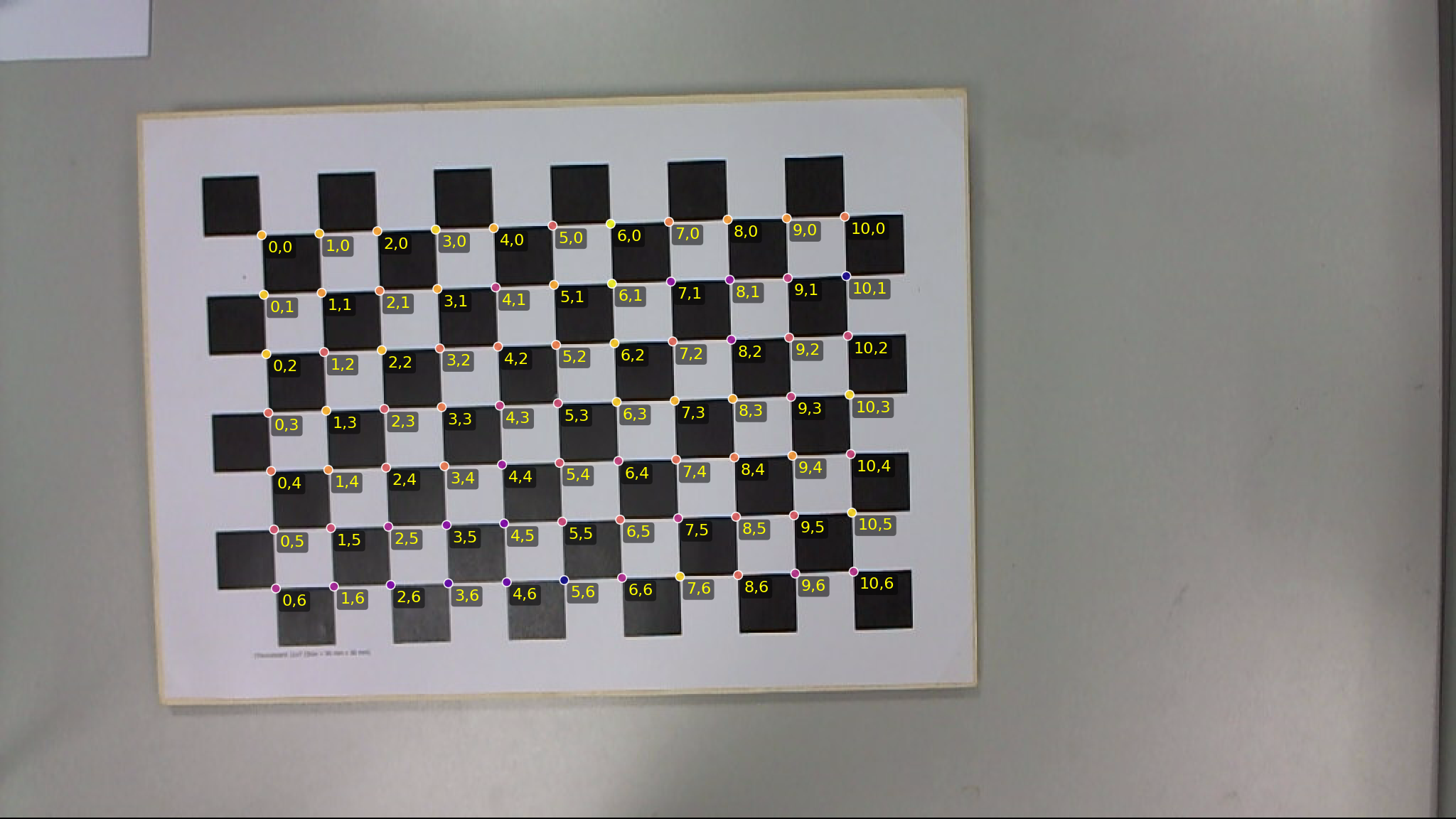
Workspace layout
calib-targets-core: shared geometry types and utilities.calib-targets-chessboard: chessboard detection from corner clouds.calib-targets-aruco: embedded dictionaries and decoding on rectified grids.calib-targets-charuco: grid-first ChArUco detector and alignment.calib-targets-puzzleboard: self-identifying chessboard detector with absolute corner IDs from edge dots.calib-targets-marker: checkerboard marker detector (chessboard + circles).calib-targets: facade crate, currently hosting examples and future high-level APIs.
Strengths
- Clear crate boundaries with a small, geometry-first core.
- Chessboard detection pipeline is implemented end-to-end with debug outputs.
- Mesh-warp rectification supports lens distortion without assuming a single global homography.
- Examples and regression tests exist for all workflows.
Gaps and early-stage areas
- Public APIs are not yet stable.
- ArUco decoding assumes rectified grids and does not perform quad detection.
- Performance/benchmarks are not yet a focus.
Conventions
These conventions are used throughout the workspace. They are not optional and should not change silently.
Coordinate systems
- Image pixels: origin at top-left,
xincreases right,yincreases down. - Grid coordinates:
iincreases right,jincreases down. - Grid indices in detections are corner indices (intersections), not square indices, unless explicitly stated otherwise.
Homography and quad ordering
- Quad corner order is always TL, TR, BR, BL (clockwise).
- The ordering must match in both source and destination spaces.
- Never use self-crossing orders like TL, TR, BL, BR.
Sampling and pixel centers
- Warping and sampling should be consistent about pixel centers.
- When in doubt, treat sample locations as
(x + 0.5, y + 0.5)in pixel space.
Orientation angles
- ChESS-style corner orientations are in radians and defined modulo
pi(not2*pi). - Orientation clustering finds two dominant directions and assigns each corner to cluster 0 or 1, or marks it as an outlier.
Marker bit conventions
- Marker codes are packed in row-major order.
- Black pixels represent bit value 1.
- Border width is defined in whole cells (
border_bits).
If you introduce new algorithms or data structures, document any additional conventions in the relevant crate chapter.
Pipeline Overview
Every detector in the workspace shares the same high-level workflow:
take a grayscale image (or a pre-detected corner cloud), produce a
TargetDetection with labelled (i, j) grid coordinates, logical
marker IDs (where applicable), and rectification-ready pixel
positions.
Shared stages
┌───────────┐    ┌───────────┐    ┌───────────┐    ┌───────────┐
│  Image    │ -> │  ChESS    │ -> │ Target-   │ -> │ Labelled  │
│ (u8 gray) │    │ corners   │    │ specific  │    │ grid out  │
└───────────┘    │ (front-   │    │ detector  │    │           │
                 │  end)     │    │           │    │           │
                 └───────────┘    └───────────┘    └───────────┘
- Input image —
image::GrayImageor aGrayImageView. The facade helpers incalib_targets::detectaccept either. - Corner front-end — ChESS X-junction
detector via the
chess-cornerscrate. Produces aVec<Corner>— per-corner position, two axis-angle estimates, strength, and fit residuals. The workspace’s default config iscalib_targets::detect::default_chess_config(). - Target-specific detector — see the dedicated chapters:
- Chessboard — invariant-first detector precision-by-construction on our private regression dataset (high detection rate, zero wrong labels).
- ChArUco — chessboard detector + ArUco marker decoding + alignment.
- PuzzleBoard — chessboard detector + edge-dot decoder.
- Marker board — ChESS checker corners + 3-circle marker anchoring.
- Output — every detector produces a
TargetDetectionwrapping aVec<LabeledCorner>. Higher-level detectors (ChArUco, PuzzleBoard) wrap that in their own result struct with extra metadata (marker decodes, alignment, per-corner IDs).
Chessboard detector internals
The chessboard detector itself runs eight internal stages. The invariant-first framing means every stage emits a more-constrained subset of the previous stage’s output, with no backtracking that would compromise precision:
| Stage | Input | Output | Reference |
|---|---|---|---|
| 1. Pre-filter | raw Corner array | CornerStage::Strong corners (strength + fit-quality pass) | cluster::build_histogram |
| 2. Global grid directions | axes histograms | two centers (Θ₀, Θ₁) via plateau peaks + double-angle 2-means | projective_grid::circular_stats |
| 3. Per-corner label | each Strong corner’s axes vs (Θ₀, Θ₁) | CornerStage::Clustered { label } with Canonical/Swapped parity | cluster::assign_corner |
| 4. Cell size | Clustered cross-cluster NN distances | cell_size: f32 estimate | derived inside Stage 5; global scalar kept only as a sanity prior |
| 5. Seed | clustered corners + cluster centers | 2×2 quad + cell_size = mean of seed edges | seed::find_seed |
| 6. Grow | seed + candidate pool | labelled (i, j) → idx map via BFS + prediction averaging | projective_grid::square::grow |
| 7. Validate | labelled map | blacklist via line collinearity + local-H residuals | projective_grid::square::validate |
| 8. Recall boosters | labelled map + remaining clustered corners | additional admits via gap-fill, line extrapolation, component merge | boosters::apply_boosters |
Stages 5-7 run inside a blacklist loop — each iteration the validator
may reject outliers; the pipeline re-seeds on the remaining set.
Capped by DetectorParams::max_validation_iters (default 3).
See the Chessboard Detector chapter for the full invariant stack and failure-mode analysis.
Which crate does what
The chessboard detector algorithm is split across two crates:
projective-gridowns the pattern-agnostic machinery — BFS growth, KD-tree candidate search, circular- histogram peak picking (plateau-aware), double-angle 2-means, line / local-H validation. No calibration-specific dependencies; useful standalone.calib-targets-chessboardsupplies the chessboard-specific pieces that plug into the generic trait surface: ChESS-axis-based clustering,ClusterLabelparity, per-axis-slot edge validation, boosters. Orchestrates the end-to-end pipeline.
Output types are standardised in calib-targets-core as
TargetDetection with LabeledCorner values. Higher-level crates
enrich that output with additional metadata (marker detections,
rectified views, per-corner IDs).
Crates
The workspace is organized as a stack of crates with minimal, composable boundaries.
Dependency direction
calib-targets-coreis the base and should not depend on higher-level crates.calib-targets-chessboarddepends oncorefor geometry and types.calib-targets-arucodepends oncorefor rectified image access.calib-targets-charucodepends onchessboardandaruco.calib-targets-puzzleboarddepends onchessboardand uses committed code-map blobs for absolute edge-code decoding.calib-targets-markerdepends onchessboardandcore.calib-targets-printdepends on the target crates and owns printable-target rendering.calib-targetsis the facade that re-exports types and offers end-to-end helpers.
Python bindings
Python bindings are provided by the calib-targets-py crate (module name
calib_targets). It depends on the facade crate and is built with maturin;
see crates/calib-targets-py/README.md in the repository root.
Where to start
If you are new to the codebase, start with:
Then branch into the target-specific crates depending on your use case.
calib-targets-core
calib-targets-core provides shared geometric types and utilities. It is intentionally small and purely geometric; it does not depend on any particular corner detector or image pipeline.
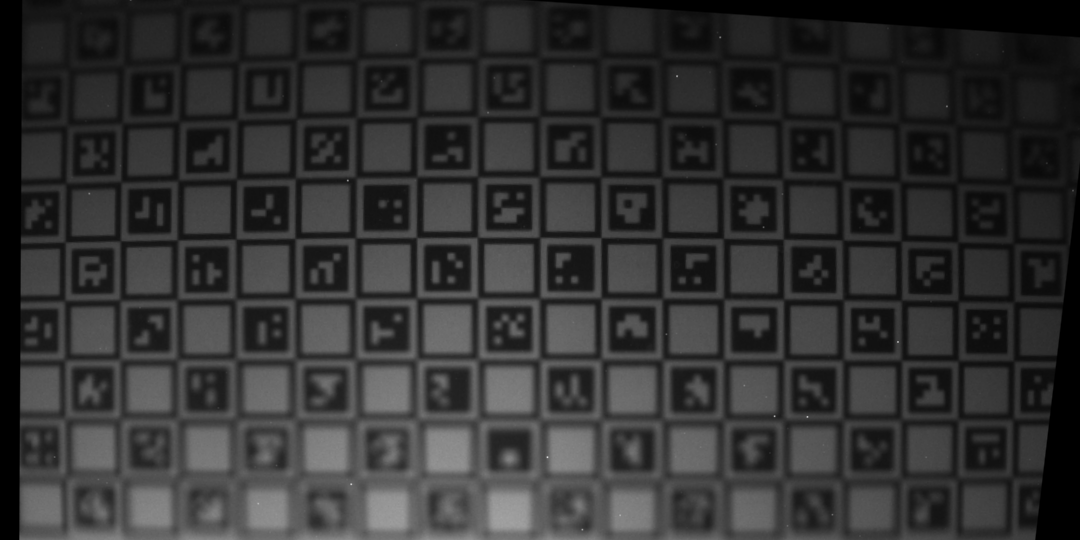 Global rectification output from the chessboard pipeline.
Core data types
Corner: raw corner observations from your detector.position: image-space pixel coordinates.orientation: dominant grid orientation in radians, defined modulopi.orientation_cluster: optional cluster index (0 or 1) if clustering is used.strength: detector response.
GridCoords: integer grid indices(i, j)in board space.LabeledCorner: a detected corner with optional grid coordinates and logical ID.TargetDetection: a collection of labeled corners for one board instance.TargetKind: enum forChessboard,Charuco, orCheckerboardMarker.
These types are shared across all detectors so downstream code can be target-agnostic.
Orientation clustering
ChESS corner orientations are only defined modulo pi. The clustering utilities help recover two dominant grid directions:
cluster_orientations: histogram-based peak finding followed by 2-means refinement.OrientationClusteringParams: histogram size, separation thresholds, outlier rejection.compute_orientation_histogram: debug visualization helper.estimate_grid_axes_from_orientations: a lightweight fallback when clustering fails.
Chessboard detection uses these helpers to label corners by axis and to reject outliers.
Homography and rectification
Homography is a small wrapper around a 3x3 matrix with helpers for DLT estimation and point mapping:
estimate_homography_rect_to_img: DLT with Hartley normalization for N >= 4 point pairs.homography_from_4pt: direct 4-point estimation.warp_perspective_gray: warp a grayscale image using a homography.
For mapping rectified pixels back to the original image, core defines:
RectifiedView: a rectified grayscale image and its mapping info.RectToImgMapper: either a single global homography or a per-cell mesh map.
Higher-level crates (notably chessboard) wrap these utilities for global or mesh rectification.
Image utilities
GrayImage and GrayImageView are lightweight, row-major grayscale buffers with bilinear sampling helpers:
sample_bilinear: float sampling with edge clamp to 0.sample_bilinear_u8: u8 sampling with clamping to 0..255.
These utilities are used by rectification and marker decoding.
Conventions recap
- Coordinate system: origin at top-left,
xright,ydown. - Grid coordinates:
iright,jdown, and grid indices refer to corners. - Quad order: TL, TR, BR, BL in both source and destination spaces.
If you build on core types, stick to these conventions to avoid subtle alignment bugs.
projective-grid (Standalone)
Code:
projective-grid.
projective-grid is the pattern-agnostic core of the workspace’s
grid detectors. It exposes two grid-construction pipelines (seed-and-
grow BFS and a topological Delaunay-based finder), boundary-extension
machinery, per-cell rectification, circular-statistics peak picking,
and line / local-homography validation — with no dependency on
calibration-specific types.
The crate ships independently on crates.io and is used directly for non-calibration tasks: rectifying a photograph of a board game, fitting a locally-planar lattice to a laser-dot cloud, extracting a grid from a scanned document, or building a new detector for a pattern the workspace doesn’t yet ship.
Pipelines
Square seed-and-grow (default)
A five-stage pipeline. Pattern-specific gates (parity, axis-cluster,
marker rules, …) plug in via the square::grow::GrowValidator trait;
the geometric machinery is generic.
| Stage | Entry points | What it does |
|---|---|---|
| Cell-size estimate | estimate_global_cell_size, estimate_local_steps | Infer approximate lattice spacing from a raw point cloud. |
| Seed-and-grow | square::grow::bfs_grow + GrowValidator | BFS from a 2×2 seed quad, predicting each next cell with adaptive per-neighbour local-step. |
| Boundary extension (global H) | square::extension::extend_via_global_homography | Fit a global H over the BFS-validated set; extend outward into perspective-foreshortened territory. Residual gate disables the pass under heavy lens distortion. |
| Boundary extension (local H) | square::extension::extend_via_local_homography | Per-candidate H from the K nearest labelled corners. Tolerates heavy radial distortion and multi-region perspective where a single H breaks. Configured via LocalExtensionParams. |
| Validation | square::validate | Line collinearity + local-homography residuals → blacklist of outlier corners; iterate the previous stages until convergence. |
| Rectification | square::rectify::SquareGridHomography, square::mesh::SquareGridHomographyMesh, hex equivalents | Single global homography or per-cell mesh. |
square::grow_extension is a deprecated alias for square::extension
retained for back-compat; new code imports from square::extension
directly.
Topological grid finder
projective_grid::build_grid_topological implements the Shu /
Brunton / Fiala 2009 grid finder: Delaunay triangulation over the
corner cloud, edge classification by per-edge axis match, triangle-
pair → quad merge, and flood-fill (i, j) labelling. Image-free —
the original paper’s per-cell colour test is replaced by an axis-
driven cell predicate so projective-grid stays standalone.
use projective_grid::{
    build_grid_topological, merge_components_local,
    ComponentInput, LocalMergeParams, TopologicalParams,
};

let topo = build_grid_topological(&positions, &axes_hints, &TopologicalParams::default())?;

// merge_components_local reunites partial components and is shared
// with the seed-and-grow pipeline.
let views: Vec<ComponentInput<'_>> = topo.components.iter()
    .map(|c| ComponentInput { labelled: &c.labelled, positions: &positions })
    .collect();
let merged = merge_components_local(&views, &LocalMergeParams::default());
ChessboardV2 selects between the two pipelines via
DetectorParams::graph_build_algorithm; the default is ChessboardV2
(seed-and-grow). The topological path runs faster and denser on
clean PuzzleBoards but currently regresses recall on ChArUco-style
images because marker-internal corners poison the per-cell axis
test. ChArUco unconditionally pins seed-and-grow inside
CharucoDetector::new regardless of caller choice.
See crates/projective-grid/docs/TOPOLOGICAL_PIPELINE.md in the
workspace for the per-stage algorithm description and known
limitations.
Reusable utilities
- Circular statistics (
circular_stats) — plateau-aware peak detection and double-angle 2-means for axis-angle histograms. - Homography (
homography) — 4-point + DLT solver with Hartley normalisation and a reprojection-quality diagnostic. The DLT path uses normal equations + 9×9 symmetric eigendecomposition for the null-vector solve. - Component merge (
component_merge::merge_components_local) — position-based Hough alignment of(D4-transform, label-delta), shared by both pipelines as the post-stage that reunites partial components.
Extension point: GrowValidator
use projective_grid::square::grow::{Admit, GrowValidator, LabelledNeighbour};
use nalgebra::Point2;

impl GrowValidator for MyValidator {
    fn is_eligible(&self, idx: usize) -> bool { /* … */ }
    fn required_label_at(&self, i: i32, j: i32) -> Option<u8> { /* … */ }
    fn label_of(&self, idx: usize) -> Option<u8> { /* … */ }

    fn accept_candidate(
        &self,
        idx: usize,
        at: (i32, i32),
        prediction: Point2<f32>,
        neighbours: &[LabelledNeighbour],
    ) -> Admit {
        // Accept / Reject per candidate in order of increasing
        // distance to `prediction`.
    }

    fn edge_ok(
        &self,
        candidate_idx: usize,
        neighbour_idx: usize,
        at_candidate: (i32, i32),
        at_neighbour: (i32, i32),
    ) -> bool { /* soft per-edge check */ true }
}
The same validator is used by bfs_grow (Stage 5) and
extend_via_global_homography (Stage 6) — so parity, axis-matching,
and edge invariants are enforced identically across both paths.
The chessboard detector’s plug-in
(crates/calib-targets-chessboard/src/grow.rs) is the reference
implementation: chess-specific axis-slot logic on top of the generic
BFS / boundary-extension machinery.
Module layout
projective-grid/src/
├── lib.rs
├── float_helpers.rs          (private)
├── global_step.rs            cell-size estimation from a raw cloud
├── local_step.rs             per-region local-step estimation
├── homography.rs             Homography, HomographyQuality, 4pt + DLT
├── circular_stats.rs         wrap_pi, smooth_circular_5, pick_two_peaks,
│                             refine_2means_double_angle
├── affine.rs                 AffineTransform2D (generic 2D)
├── component_merge.rs        merge_components_local
├── square/                   4-connected square-grid support
│   ├── alignment.rs          D4 transforms
│   ├── grow.rs               GrowValidator, bfs_grow, GrowResult
│   ├── grow_extend.rs        extend_from_labelled (post-cluster boost)
│   ├── extension/            Stage 6 — global / local homography
│   │   ├── common.rs         try_attach_at_cell (shared per-cell ladder)
│   │   ├── global.rs         extend_via_global_homography
│   │   └── local.rs          extend_via_local_homography
│   ├── index.rs              GridCoords (i, j)
│   ├── mesh.rs               SquareGridHomographyMesh (per-cell)
│   ├── rectify.rs            SquareGridHomography (global)
│   ├── seed/                 2×2 seed primitives + finder
│   │   ├── mod.rs            Seed, SeedOutput, midpoint check
│   │   └── finder.rs         find_quad, SeedQuadValidator
│   ├── smoothness.rs         square_predict_grid_position,
│   │                         square_find_inconsistent_corners
│   └── validate/             post-grow validation
│       ├── mod.rs            validate(), LabelledEntry, ValidationParams
│       ├── lines.rs          line collinearity flags
│       ├── local_h.rs        local-H residual
│       └── step.rs           per-corner step + step-deviation flags
├── topological/              Shu/Brunton/Fiala 2009 grid finder
│   ├── mod.rs                build_grid_topological, AxisHint
│   ├── classify.rs           edge classification
│   ├── delaunay.rs           triangulation wrapper
│   ├── quads.rs              triangle-pair → quad merge
│   ├── topo_filter.rs        topological + geometric filter
│   └── walk.rs               flood-fill (i, j) labelling
└── hex/                      6-connected hex-grid (geometry only,
    ├── alignment.rs           no seed-and-grow path yet)
    ├── mesh.rs
    ├── rectify.rs
    └── smoothness.rs
Invariants worth keeping in mind
Undirected-angle circular means
When averaging axis directions (orientations, not headings), accumulate
(cos 2θ, sin 2θ) and halve the resulting atan2. circular_stats:: refine_2means_double_angle does this correctly; naive (cos θ, sin θ)
averaging silently breaks at the 0°/180° seam.
Plateau-aware peak detection
When a physical direction’s mass straddles a histogram bin boundary,
the smoothed peak is flat-topped across two adjacent bins. Naive
strict local-maximum detection misses it entirely. circular_stats:: pick_two_peaks handles this by looking for maximal runs of equal-
valued bins bordered on both sides by strictly lower values, and
returning the plateau’s midpoint.
Non-negative grid labels with visual top-left origin
All (i, j) output from bfs_grow is rebased so the bounding-box
minimum is (0, 0). Downstream consumers that canonicalise axis
direction (the chessboard detector does this in
calib_targets_chessboard::Detector::detect) additionally swap /
flip axes so (0, 0) sits at the visual top-left of the detected
grid — +i points right (+x), +j points down (+y). This is not
enforced by bfs_grow itself — it’s a pattern-side contract.
Boundary extension is precision-safe
Both extension flavours go through every gate the BFS uses —
is_eligible, label_of against required_label_at,
accept_candidate, and edge_ok — plus a tighter ambiguity gate
(2.5× vs BFS’s 1.5×) and a single-claim guarantee (one corner index
can only be claimed by one cell per pass). The global-H pass adds an
H-residual gate on the BFS-validated set: under heavy lens distortion
the gate fires and the pass becomes a no-op. The local-H pass uses
a per-candidate worst-residual gate over the K supports instead of a
single global threshold, so it stays useful where global-H refuses.
Out of scope
- 3D grids. Coordinates are
nalgebra::Point2<f32>. There is no 3D support. - Non-planar surfaces. Boundary extension assumes a single planar homography fits the labelled set. Severely curved surfaces need the per-cell mesh variant for rectification, and the global-H extension refuses to extend under those conditions.
- Dense point clouds without structure. The seed finder assumes the lattice spacing is recoverable from the seed’s own edge lengths; pure noise does not yield a stable seed.
The Chessboard Detector
Code:
calib-targets-chessboard. Related: the generic BFS growth, circular-histogram peak picking, and line/local-H validation live in the standaloneprojective-gridcrate.
The chessboard detector takes a cloud of ChESS X-junction corners and produces
an integer-labelled chessboard grid (i, j) → image position. It is
precision-by-construction: every emitted label has been proven to sit at
a real grid intersection by a stack of independent geometric invariants.
Missing corners are acceptable; wrong corners are not.
On our private regression dataset (captured with non-negligible lens
distortion and motion blur — uncommitted; see privatedata/ for how
to reproduce locally) the detector achieves a high detection rate
with zero wrong (i, j) labels — precision-by-construction.
A wrong label would corrupt downstream calibration; that is the constraint the algorithm refuses to break.
┌───────┐    ┌──────────┐    ┌──────────┐    ┌──────────┐    ┌───────────┐
│Corners│ -> │ Pre-     │ -> │ Cluster  │ -> │ Seed +   │ -> │ Validate  │
│  in   │    │ filter   │    │ axes,    │    │ Grow     │    │ + Recall  │
└───────┘    │ (Stage 1)│    │ Cell     │    │ (Stages  │    │ Boosters  │
             └──────────┘    │ size     │    │ 5 + 6)   │    │ (Stages   │
                             │ (Stages  │    └──────────┘    │ 7 + 8)    │
                             │ 2-4)     │                    └───────────┘
                             └──────────┘
1. Corner axes contract
The detector reads only one orientation signal per corner:
Corner.axes: [AxisEstimate; 2]. Convention (enforced workspace-wide and
documented in CLAUDE.md):
axes[0].angle ∈ [0, π),axes[1].angle ∈ (axes[0].angle, axes[0].angle + π).axes[1] − axes[0] ≈ π/2— the two axes are orthogonal grid directions (NOT diagonals of unit squares).- The CCW sweep from
axes[0]toaxes[1]crosses a dark sector. This encodes parity: at parity-0 cornersaxes[0] ≈ Θ_horizontal(dark-entering), at parity-1 cornersaxes[0] ≈ Θ_vertical. Adjacent chessboard corners therefore have opposite axis-slot assignments. - Default-constructed axes carry
sigma = π(no information) and are filtered out in Stage 1.
Any function computing a circular mean of axis angles MUST accumulate
(cos 2θ, sin 2θ) and halve the atan2 result. Accumulating raw
(cos θ, sin θ) breaks at the 0°/180° seam — this was the root cause of the
v1 Phase-4 regression.
2. Invariants
A labelled corner C at (i, j) is kept iff every one of these holds at
convergence:
- Axis membership. Both
C.axes[0]andC.axes[1]are withincluster_tol_degof the two global grid-direction peaks{Θ₀, Θ₁}, each axis matching a different peak. - Cluster label = axis-slot.
cluster(C) = 0iffC.axes[0]is closer toΘ₀; otherwise1. Binary, per-corner. - Parity.
cluster(C) ≡ (i + j) mod 2(modulo a global sign fixed by the seed quad). - Edge orientation along the corner’s axes. For every in-graph edge
C ↔ Nwith vectorv = N.pos − C.pos,atan2(v) mod πis withinedge_axis_tol_degof exactly one ofC.axes[*]AND of exactly one ofN.axes[*]. (No ±π/4 offset — edges align with axes, not diagonals.) - Edge axis-slot swap. Let
ax_C ∈ {0, 1}be the slot ofCmatching the edge, andax_Nthe slot ofN. Requireax_C ≠ ax_N. - Cell-size consistency.
|v| ∈ [1 − step_tol, 1 + step_tol] × s. - Line collinearity. For every labelled row / column through
Cwith≥ line_min_membersmembers,C’s perpendicular residual to the fitted line is≤ line_tol × s. Projective-line fits use a looser tolerance to absorb mild lens distortion. - Local-H consistency. A local 4-point homography from 4 non-collinear
labelled neighbors predicts
C’s pixel position with residual≤ local_h_tol × s. - No ambiguity at attachment. When admitted via prediction, no other
strong corner lies within
attach_ambiguity_factor ×the attachment distance.
A corner failing any invariant is blacklisted. A blacklist update
restarts seed → grow → validate with the blacklist excluded; the loop is
capped at max_validation_iters.
3. Pipeline
Corner[]
 → 1. Pre-filter: strength + fit-quality + axes-validity
 → 2. Global axes Θ₀, Θ₁  (axes-histogram + double-angle 2-means)
 → 3. Per-corner cluster label (canonical / swapped)
 → 4. Global cell size s   (specialized cross-cluster NN)
 → 5. Seed: 2×2 quad satisfying invariants 1-6 on all 4 edges
 → 6. Grow: BFS attaches one corner per step, enforcing invariants 1-6, 9
 → 7. Validate: invariants 7, 8 across the labelled set; attribution +
       blacklist; loop back to Stage 5 if blacklist grew
 → 8. Recall boosters: line extrapolation, gap fill, component merge,
       weak-cluster rescue (each preserves the precision contract)
 → 9. Output: Detection (single component) or None
Stages 5-7 are the precision core: any corner labelled at the end of Stage 7 has passed every invariant. Stage 8 only adds corners; it never relaxes invariants.
Stage 1 — Pre-filter
Drop corner c if:
c.strength < min_corner_strength(default0.0, off);c.contrast > 0andc.fit_rms > max_fit_rms_ratio × c.contrast(default0.5);- both
axes[*].sigma == π(no axis information).
Stage 2 — Global grid directions
Build a circular histogram on [0, π) with num_bins bins. For each
corner c and each axis axes[k], add a vote at axes[k].angle mod π
weighted by c.strength / (1 + axes[k].sigma). Smooth with [1, 4, 6, 4, 1] / 16.
Find local maxima. Refine the two best peaks via 2-means in
double-angle space ((cos 2θ, sin 2θ)); halve the mean atan2 to recover
(Θ₀, Θ₁) ∈ [0, π).
Why double-angle. Axes are undirected —
θandθ + πare the same direction. Naïve circular mean over raw(cos θ, sin θ)produces zero when votes straddle the 0°/π seam. Doubling the angle wraps both halves together; the inverse halving gives a stable mean.
Stage 3 — Cluster assignment
For each survivor, score the two possible 2×2 axis assignments:
- Canonical (cost
d(axes[0], Θ₀) + d(axes[1], Θ₁)) - Swapped (cost
d(axes[0], Θ₁) + d(axes[1], Θ₀))
Pick the cheaper. Drop if the worse axis exceeds cluster_tol_deg.
Otherwise label the corner Canonical (cluster = 0) or Swapped (cluster
= 1).
Stage 4 — Global cell size
Specialized estimator: nearest-neighbor distances across cluster boundaries (canonical → swapped). The cross-cluster constraint suppresses intra-marker noise on ChArUco scenes — see the cell-size gotcha below.
Stage 5 — Seed
Find the best 2×2 quad A, B, C, D (A canonical, B swapped, C
swapped, D canonical) satisfying invariants 4-6 on all 4 edges:
- Iterate canonical corners by descending strength.
- For each candidate
A, kNN-search ~32 swapped corners. Classify each neighbor by which ofA.axes[0]orA.axes[1]the chord is closer to, withinseed_axis_tol_deg. - For the shortest few
(B, C)pairs, require|AB| ≈ |AC|withinseed_edge_tol. PredictD = A + (B − A) + (C − A). Find the nearest canonical corner withinseed_close_tol × avg_edgeof the prediction. - Verify all 4 edges pass invariants. First quad wins.
- Cell size
sis the mean of the 4 seed edge lengths — output, not input.
If no quad passes, retry with every tolerance widened by 1.5×.
Stage 6 — Growth
BFS over the (i, j) boundary. For each unlabelled boundary position:
- Compute the required cluster
k = (i + j) mod 2(XOR with the seed’s parity offset). - Predict the pixel position from labelled neighbors via a local affine / 4-point homography.
- Search strong corners with
cluster == kwhose axes match the global centers and whose distance to the prediction is≤ attach_search_rel × s. - If 0 candidates →
Hole. If ≥ 2 withinattach_ambiguity_factor ×the nearest →Ambiguous(no blacklist; the candidate may be valid at another position). - For the unique nearest, verify the induced edges to all labelled
neighbors satisfy invariants 4-6. If any fails →
Hole. - Otherwise label and push its cardinal unlabelled neighbors.
Stage 7 — Validate (precision pass)
Two independent geometric checks across the labelled set:
- 7a. Line collinearity. For each row / column with
≥ line_min_membersmembers, fit both a straight TLS line and (when≥ 4members) a projective-line. Pick the better fit by χ². Flag members with perpendicular residual exceeding the per-fit tolerance. - 7b. Local-H residual. For each labelled corner with ≥ 4 non-collinear
labelled neighbors, fit a 4-point local homography and predict the
corner’s pixel position. Flag if the residual exceeds
local_h_tol × s.
Attribution rules (from spec §5.7c) decide who to blacklist:
- Flagged in
≥ 2lines → outlier. - Local-H flagged AND
≥ 1line flag → outlier. - Local-H flagged but no line flag, with a base neighbor flagged in a line → blame the base instead.
- Otherwise → defer (no blacklist this iteration).
If any new blacklist entries appeared, restart from Stage 5 with the
blacklist excluded. Loop is capped at max_validation_iters.
Stage 8 — Recall boosters
Each booster strictly adds corners; none relax invariants 4-6, 9.
- 8a. Line extrapolation. Extend each labelled row / column one corner at a time along the projective-line fit. Each candidate must pass the full attachment check.
- 8b. Interior gap fill. For each unlabelled
(i, j)strictly inside the bbox with ≥ 3 labelled neighbors, attempt the standard attachment. - 8c. Component merge. Re-run the precision core with all currently
labelled corners excluded; if a second seed grows into a disjoint
component, align its
(i, j)frame via local homography and merge. - 8d. Weak-cluster rescue. Corners dropped in Stage 3 with
max_d ∈ (cluster_tol, weak_cluster_tol]become eligible attachment candidates in 8a-8c, with halved search radius and the full invariant stack still enforced.
A final Stage-7 pass runs over the enlarged labelled set so the precision contract holds end-to-end.
4. Why precision is by construction
The design constraint “wrong (i, j) labels are unrecoverable” is what
shapes every non-obvious choice in the pipeline. Two examples:
Cell size is an OUTPUT, not an input. A naïve detector estimates a
global cell size first, then uses it to set the search window during seed
finding. On ChArUco scenes the nearest-neighbor histogram is bimodal
(marker-internal pairs at ~10 px vs true board pairs at ~55 px); even
multimodal mean-shift can pick the wrong mode. The detector instead
finds a 4-corner quad that matches itself in edge lengths and reports the
mean of those 4 edge lengths as s. The window is whatever the seed
itself agrees on — there is no global scalar to mispick. See
crates/calib-targets-chessboard/src/seed.rs and the Cell-size
gotcha in CLAUDE.md.
Edges align with axes, not diagonals. Some chessboard detectors model
ChESS corners as having a single orientation θ and check that grid
edges align with θ ± π/4. It reads the two axes directly and requires
edges to align with one axis (per invariant 4). The edge check then
becomes “does the edge match exactly one of the two axes within
tolerance?” — robust to the axis-swap parity that ChESS X-junctions
exhibit at adjacent corners. Skipping the ±π/4 offset removes a
single-orientation dependence that the workspace already discarded
(Corner::orientation was removed entirely).
Multi-component scenes are first-class. The same precision contract
applies to Detector::detect_all, which peels off disconnected components
of the same physical board (the typical ChArUco case where markers
interrupt grid contiguity). Each component is rebased to its own (0, 0)
origin; alignment to a global frame is the caller’s job.
We explicitly do NOT support scenes containing multiple separate physical boards. One target per frame is the contract.
5. Failure modes
When detection fails or returns fewer corners than expected, identify the
stage from the DebugFrame (see §7) and consult this table.
| Symptom | Likely stage | Knob to try | Notes |
|---|---|---|---|
frame.detection.is_none() and frame.grid_directions.is_none() | Stage 2 (clustering) | min_peak_weight_fraction, peak_min_separation_deg | The two grid axes never separated. Common on very-bad-light frames (see docs/120issues.txt for a canonical example). |
frame.cell_size.is_none() | Stage 5 (seed) | seed_edge_tol, seed_axis_tol_deg, seed_close_tol | No 4-corner quad passed the consistency check. |
frame.detection has very few corners | Stage 6 (grow) | attach_search_rel, attach_ambiguity_factor, step_tol, edge_axis_tol_deg | Seed succeeded but growth couldn’t extend. Common on heavily distorted views. |
Many LabeledThenBlacklisted corners | Stage 7 (validate) | line_tol_rel, local_h_tol_rel | Invariants found outliers; check the blacklist reasons. |
Wrong (i, j) labels emitted | never | — | If you ever see this, file a bug. The precision contract has been violated. |
The one unrecovered frame in our regression dataset is a very-bad-light
capture whose Stage-2 clustering never converges. It is flagged as
excluded in docs/120issues.txt.
6. Parameters
DetectorParams is #[non_exhaustive]; build with Default::default() and
overwrite specific fields, or call DetectorParams::sweep_default() for a
3-config preset (default, tighter, looser) suitable for
detect_chessboard_best-style sweeps.
| Field | Default | Stage | Purpose |
|---|---|---|---|
min_corner_strength | 0.0 | 1 | Minimum ChESS strength. 0 disables. |
max_fit_rms_ratio | 0.5 | 1 | Drop if fit_rms > k × contrast. ∞ disables. |
num_bins | 90 | 2 | Axis-direction histogram bins on [0, π). |
cluster_tol_deg | 12.0 | 2-3 | Per-axis tolerance from a cluster center. |
peak_min_separation_deg | 60.0 | 2 | Minimum separation between the two peaks. |
min_peak_weight_fraction | 0.05 | 2 | Minimum fraction of total vote weight per peak. |
cell_size_hint | None | 4 | Optional caller hint; not load-bearing. |
seed_edge_tol | 0.25 | 5 | Seed-edge length window (fraction of s). |
seed_axis_tol_deg | 15.0 | 5 | Seed-edge axis tolerance. |
seed_close_tol | 0.25 | 5 | Parallelogram-closure tolerance. |
attach_search_rel | 0.35 | 6 | Candidate radius around predicted position. |
attach_axis_tol_deg | 15.0 | 6 | Axis match at attachment. |
attach_ambiguity_factor | 1.5 | 6 | Reject if 2nd-nearest within factor × nearest. |
step_tol | 0.25 | 6 | Edge-length window when admitting attachments. |
edge_axis_tol_deg | 15.0 | 6 | Edge axis tolerance at admission. |
line_tol_rel | 0.15 | 7 | Straight-line collinearity tolerance. |
line_min_members | 3 | 7 | Minimum members to fit a row / column. |
local_h_tol_rel | 0.20 | 7 | Local-H prediction tolerance. |
max_validation_iters | 3 | 7 | Blacklist-retry cap. |
enable_* (4 flags) | true | 8 | Toggles for the 4 boosters. |
weak_cluster_tol_deg | 18.0 | 8d | Loosened cluster tolerance for rescue candidates. |
max_components | 3 | — | Cap for detect_all. |
min_labeled_corners | 8 | 9 | Minimum labelled corners to emit a Detection. |
All spatial tolerances are multiplicative with respect to s — the
pipeline is scale-invariant once s is known.
7. Debugging via DebugFrame
Detector::detect_debug and detect_all_debug return a DebugFrame per
detection attempt. Key fields:
schema: u32—DEBUG_FRAME_SCHEMA = 1today; bumped on shape change. Overlay scripts gate on this.input_count,grid_directions,cell_size,seed: Option<[usize; 4]>— global outputs of stages 1-5.iterations: Vec<IterationTrace>— one entry per blacklist-retry pass. Each carriesiter,labelled_count,new_blacklist,converged.boosters: Option<BoosterResult>— additions from Stage 8.detection: Option<Detection>— final output (Noneif min-corners gate failed or no seed).corners: Vec<CornerAug>— every input corner with its terminal stage:Raw,Strong,NoCluster,Clustered,AttachmentAmbiguous,AttachmentFailedInvariants,Labeled { at, local_h_residual_px },LabeledThenBlacklisted { at, reason }.
Render overlays with
crates/calib-targets-py/examples/overlay_chessboard.py; it warns
once per observed schema mismatch.
For compact telemetry, prefer
Detector::detect_instrumented returning (Detection, StageCounts)
where StageCounts summarises the per-stage corner survivorship in a
handful of integers.
8. Quickstart
use calib_targets_chessboard::{Detector, DetectorParams};
use calib_targets_core::Corner;

fn detect(corners: &[Corner]) {
    let params = DetectorParams::default();
    let det = Detector::new(params);
    if let Some(d) = det.detect(corners) {
        println!(
            "labelled {} corners; cell ≈ {:.1} px",
            d.target.corners.len(),
            d.cell_size
        );
        for lc in &d.target.corners {
            let g = lc.grid.unwrap();
            println!("(i, j) = ({}, {}) at ({:.1}, {:.1})", g.i, g.j, lc.position.x, lc.position.y);
        }
    }
}

fn detect_multi(corners: &[Corner]) {
    let det = Detector::new(DetectorParams::default());
    for (k, comp) in det.detect_all(corners).iter().enumerate() {
        println!(
            "component {k}: {} corners (strong_indices: {:?})",
            comp.target.corners.len(),
            &comp.strong_indices[..comp.strong_indices.len().min(5)]
        );
    }
}
The full driver — including ChESS corner detection, JSON debug-frame
output, and a 120-snap dataset sweep — lives in
crates/calib-targets-chessboard/examples/run_dataset.rs. A single-
image variant (examples/debug_single.rs) + the driver script
scripts/chessboard_regression_overlays.sh emit per-image overlays for
the broader testdata/ regression set and are wired into a
#[test] harness at
crates/calib-targets-chessboard/tests/testdata_regression.rs.
9. Open questions
Tracked in spec §10:
- Degenerate axes (one axis with
sigma = π) — current: drop the corner. Could a single-axis attachment pathway recover some recall? - Seed retry policy — current: try the next-best seed. A blacklist-and-research scheme might catch genuinely-bad seeds earlier.
- Distortion-curved lines — current: projective fit when ≥ 4 members, straight fit fallback. A true polynomial fit could absorb more distortion at the cost of false-negative risk.
- Multi-seed growth — current: single seed only, multi-component is a post-hoc booster. A first-class multi-seed grower could reduce the Stage-8 dependency.
- Caller-provided cell-size hint — current: optional, mostly ignored. When could it tighten Stages 5-6 without compromising precision?
Contributions welcome.
calib-targets-aruco
calib-targets-aruco provides embedded ArUco/AprilTag-style dictionaries and decoding on rectified grids. It does not detect quads or perform image rectification by itself.
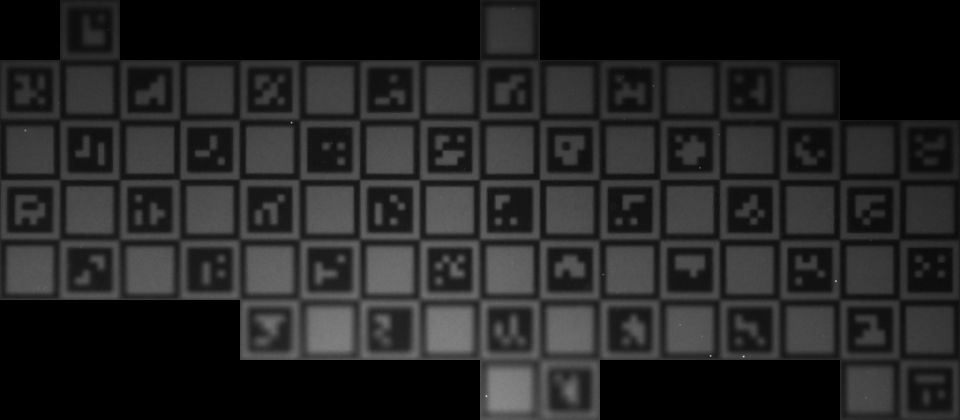 Rectified grid used for ArUco/AprilTag decoding.
Current API surface
Dictionary: built-in dictionary metadata and packed codes.Matcher: brute-force matching against a dictionary with rotation handling.ScanDecodeConfig: how to scan a rectified grid (border size, inset, polarity).scan_decode_markers: read and decode markers from rectified cells.scan_decode_markers_in_cells: decode markers from per-cell image quads (no full warp).decode_marker_in_cell: decode a single marker inside one square cell.
The crate expects a rectified view where each chessboard square is approximately px_per_square pixels and where cell indices align with the board grid.
Decoding paths
There are two supported scanning modes:
- Rectified grid scan (
scan_decode_markers): build a rectified image first and scan a regular grid. - Per-cell scan (
scan_decode_markers_in_cells): pass a list of per-cell quads and decode each cell directly.
Per-cell scanning avoids building the full rectified image and is easy to parallelize across cells.
Scan configuration
ScanDecodeConfig controls how bit sampling and thresholding behave:
border_bits: number of black border cells (OpenCV typically uses 1).marker_size_rel: marker size relative to the square size (ChArUco uses < 1.0).inset_frac: extra inset inside the marker to avoid edge blur.min_border_score: minimum fraction of border bits that must be black.dedup_by_id: keep only the best detection per marker id.
If decoding is too sparse on real images, reduce inset_frac slightly and re-run.
Conventions
- Marker bits are packed row-major with black = 1.
Match::rotationis in0..=3such thatobserved == rotate(dict_code, rotation).border_bitsmatches the OpenCV definition (typically 1).
Status
Decoding is implemented and stable for rectified grids, but quad detection and image-space marker detection are deliberately out of scope. The roadmap chapter details planned improvements and API refinements.
For deeper tuning and sampling details, see ArUco Decoding Details.
ArUco Decoding Details
This chapter expands on the marker decoding path in calib-targets-aruco. The decoder is grid-first: it samples expected square cells and reads bits in rectified space (or per-cell quads).
Per-cell decoding
scan_decode_markers_in_cells reads marker bits in their own cells given an existing grid of square corners, without warping the full image. ChArUco detection drives this path: only valid grid cells are decoded, and the per-cell work parallelises trivially.
Sampling model
- Bits are sampled on a regular grid inside the marker area.
- The marker area is defined by
marker_size_rel, with an extra inset frominset_frac. - A per-marker threshold (Otsu) is computed from sampled intensities.
Tuning knobs
inset_fraccontrols how far inside the marker area bits are sampled. Lower values capture more of the marker; higher values are more robust to thin black borders bleeding into the bit grid.min_border_scoreis the minimum “frame looks like a marker border” score required to accept a cell. Higher values reject ambiguous cells.dedup_by_idcollapses repeated decodes of the same dictionary ID across cells.marker_size_relis the marker side relative to the enclosing chessboard cell and must match the physical board spec.
calib-targets-charuco
calib-targets-charuco combines chessboard detection with ArUco decoding to detect ChArUco boards. ChArUco dictionaries and board layouts are fully compatible with OpenCV’s aruco/charuco implementation. The flow is grid-first:
ChArUco detection overlay with assigned corner IDs.
- Detect a chessboard grid from ChESS corners.
- Build per-cell quads from the detected grid.
- Decode markers per cell (no full-image warp).
- Align marker detections to a board specification and assign corner IDs.
Board specification
CharucoBoardSpecdescribes the board geometry:rows,colsare square counts (not inner corners).cell_sizeis the physical square size.marker_size_relis the marker size relative to a square.dictionaryselects the marker dictionary.marker_layoutdefines the placement scheme.
CharucoBoardvalidates and precomputes marker placement.
Detector
CharucoParams::for_boardprovides a reasonable default configuration.CharucoDetector::detectreturns aCharucoDetectionResultwith:detection: labeled corners with ChArUco IDs, filtered to marker-supported corners.markers: decoded marker detections in rectified grid coordinates (with optionalcorners_img).alignment: grid alignment from detected grid coordinates into board coordinates.
Per-cell decoding
The detector decodes markers per grid cell. This avoids building a full rectified image and keeps the work proportional to the number of valid squares. If you need a full rectified image for visualization, use the rectification helpers in calib-targets-chessboard on a detected grid.
Alignment and refinement
Alignment maps decoded marker IDs to board positions using a small set of grid transforms and a translation vote. Once an alignment is found, the detector re-decodes markers at their expected cell locations and re-solves the alignment to filter out inconsistencies.
This two-stage approach helps reject spurious markers while keeping the final corner IDs consistent.
Tuning notes
scan.inset_fractrades off robustness vs. sensitivity. The defaults infor_boarduse a slightly smaller inset (0.06) to improve real-image decoding.min_marker_inlierscontrols how many aligned markers are required to accept a detection.
Status
The current implementation focuses on the OpenCV-style layout and is intentionally conservative about alignment. Extensions for more layouts and improved robustness are planned (see the roadmap).
For alignment details, see ChArUco Alignment and Refinement.
ChArUco Alignment
calib-targets-charuco aligns decoded marker IDs to a board layout and assigns ChArUco corner IDs. Alignment is discrete and fast: it tries a small set of grid transforms and selects the translation with the strongest inlier support.
Alignment pass
- Each decoded marker votes for a board translation under each candidate transform.
- The best translation wins (ties broken by inlier count).
- Inliers are the markers whose
(sx, sy)map exactly to the expected board cell for their ID.
Inlier filtering
After alignment is chosen, the detector keeps only inlier markers and assigns ChArUco corner IDs based on the aligned grid coordinates. The final alignment in the result is a GridAlignment that maps detected grid coordinates into board coordinates.
calib-targets-puzzleboard
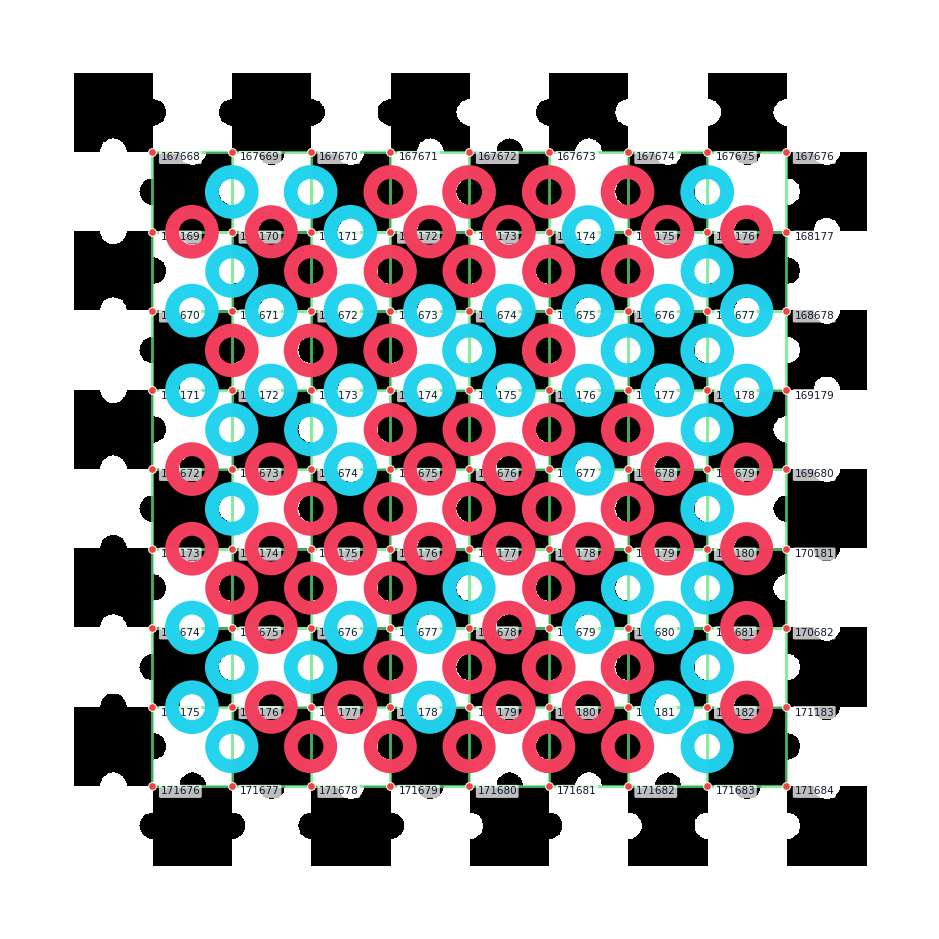
calib-targets-puzzleboard detects PuzzleBoard targets: checkerboards whose
interior edge midpoints carry binary dots. The dots identify the board position
inside a 501 x 501 master pattern, so a visible fragment can still produce
absolute corner IDs and object-space coordinates.
PuzzleBoard is based on Stelldinger 2024, arXiv:2409.20127.
Target Model
PuzzleBoardSpec describes the printable board:
rows,cols: square counts, not inner-corner counts.cell_size: physical square size.origin_row,origin_col: top-left square in the 501 x 501 master pattern.
Detected inner corners are returned as LabeledCorner values with:
grid: absolute master corner coordinates(i, j).id:j * 501 + i.target_position:(i * cell_size, j * cell_size).
Bit Layout
The board uses two embedded cyclic maps:
- map A, shape
(3, 167), for horizontal interior edges. - map B, shape
(167, 3), for vertical interior edges.
Dots encode bits directly: white dot = 0, black dot = 1.
corner (i,j) ---- A(j,i) ---- corner (i+1,j)
     |                            |
   B(j,i)                      B(j,i+1)
     |                            |
corner (i,j+1) -- A(j+1,i) -- corner (i+1,j+1)
The committed blobs are src/data/map_a.bin and src/data/map_b.bin.
generate-puzzleboard-code-maps and verify-puzzleboard-code-maps are kept as
repo tools so the runtime detector does no map construction.
Detection Pipeline
The flow is grid-first:
- Run ChESS corner detection.
- Assemble one or more chessboard grid components.
- Sample every visible interior edge midpoint and estimate a bit confidence.
- Drop bits below
decode.min_bit_confidence. - Decode against the master maps over all D4 rotations/reflections.
- Assign absolute IDs and target-space positions to inlier corners.
The default decode.min_window is 4, meaning the detector requires enough
edge samples for a 4 x 4 square fragment after confidence filtering.
Rust Facade Example
use calib_targets::{detect, puzzleboard::{PuzzleBoardParams, PuzzleBoardSpec}};
fn main() -> Result<(), Box<dyn std::error::Error>> {
let img = image::open("testdata/puzzleboard_small.png")?.to_luma8();
let spec = PuzzleBoardSpec::new(10, 10, 12.0)?;
let params = PuzzleBoardParams::for_board(&spec);
let result = detect::detect_puzzleboard(&img, ¶ms)?;
println!("{} corners", result.detection.corners.len());
Ok(())
}For threshold-sensitive images, use:
#![allow(unused)]
fn main() {
use calib_targets::{detect, puzzleboard::{PuzzleBoardParams, PuzzleBoardSpec}};
let img = image::GrayImage::new(1, 1);
fn run(img: &image::GrayImage) -> Result<(), Box<dyn std::error::Error>> {
let spec = PuzzleBoardSpec::new(10, 10, 12.0)?;
let configs = PuzzleBoardParams::sweep_for_board(&spec);
let result = detect::detect_puzzleboard_best(img, &configs)?;
let _ = result;
Ok(()) }
}
Search Modes
The default PuzzleBoardSearchMode::Full scans all 501 × 501 × 8 (D4, origin) candidates against the full master code. When the caller already
knows which board they printed, PuzzleBoardSearchMode::FixedBoard
matches observations directly against that declared board’s own bit
pattern under 8 × (rows+1)² candidate shifts:
#![allow(unused)]
fn main() {
use calib_targets::{detect, puzzleboard::{PuzzleBoardParams, PuzzleBoardSearchMode, PuzzleBoardSpec}};
let img = image::GrayImage::new(1, 1);
fn run(img: &image::GrayImage) -> Result<(), Box<dyn std::error::Error>> {
let spec = PuzzleBoardSpec::new(50, 50, 1.0)?;
let mut params = PuzzleBoardParams::for_board(&spec);
params.decode.search_mode = PuzzleBoardSearchMode::FixedBoard;
let _ = detect::detect_puzzleboard(img, ¶ms)?;
Ok(()) }
}Partial-view guarantee: for a given printed board, any subset of its corners decodes to the same master IDs a full-view decode would produce. This applies equally to single-camera captures that only frame part of a large board and to multi-camera rigs where each camera sees a different fragment — in both cases overlapping corners across frames or cameras share master IDs without further stitching.
The decoder’s per-view master origin is otherwise not fixed — it shifts
with which print-corner the chessboard stage picks as local (0, 0),
which depends on what the camera sees. FixedBoard sidesteps that
entirely by scoring against the board rather than against the full
master.
FixedBoard runs 8 × (rows + 1)² × N operations, where N is the
number of confidence-filtered edge observations. At typical edge counts
even a 50 × 50 board decodes in well under 10 ms natively. The default
stays Full; switch via params.decode.search_mode as shown.
Printable Example
Canonical sample specs live in:
testdata/printable/puzzleboard_small.jsontestdata/printable/puzzleboard_mid.json
Generate one from the workspace root:
cargo run -p calib-targets --example generate_printable -- \
  testdata/printable/puzzleboard_small.json \
  tmpdata/printable/puzzleboard_small
Print the SVG at 100 percent scale. The generated PNG is intended for previews and regression tests.
calib-targets-marker
calib-targets-marker targets a checkerboard marker board: a chessboard grid with three circular markers near the center. The detector is grid-first and works with partial boards.
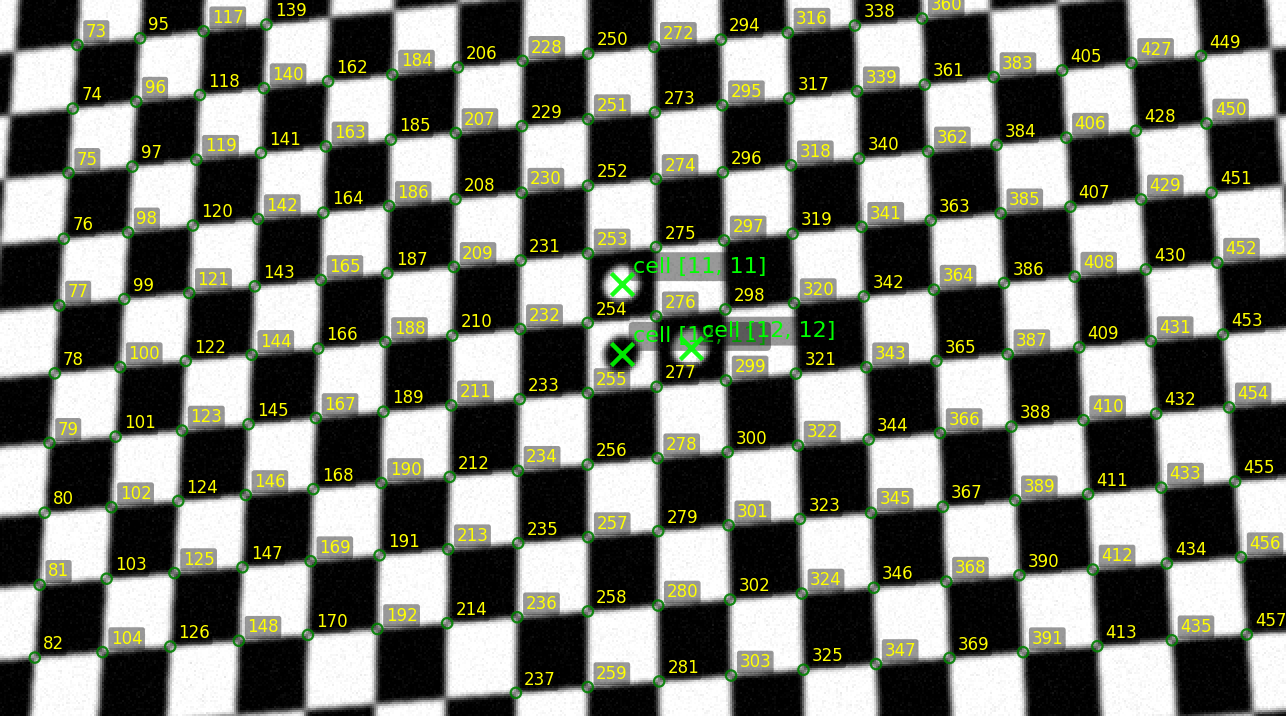 Detected circle markers and aligned grid overlay.
Detection pipeline
- Chessboard detection: run
calib-targets-chessboardto obtain grid-labeled corners (partial boards are allowed). - Per-cell circle scoring: for every valid square cell, warp the cell to a canonical patch and score a circle by comparing a disk sample to an annular ring.
- Candidate filtering: keep the strongest circle candidates per polarity.
- Circle matching: match candidates to the expected layout (cell coordinates + polarity).
- Grid alignment estimation: derive a dihedral transform + translation from detected grid coordinates to board coordinates when enough circles agree.
Key types
MarkerBoardDetector: main entry point.MarkerBoardSpec: rows/cols plus the three expected circles (cell coordinate + polarity).MarkerBoardParams: layout + chessboard/grid graph params + circle score + match settings.MarkerBoardDetectionResult:detection:TargetDetectionlabeled asCheckerboardMarker.circle_candidates: scored circles per cell.circle_matches: matched circles (with offsets).alignment: optionalGridAlignmentfrom detected grid coords to board coords.alignment_inliers: number of circle matches used for the alignment.
Parameters
MarkerBoardSpec defines the board and marker placement:
rows,cols: inner corner counts.cell_size: optional square size in your world units (when set,target_positionis populated).circles: threeMarkerCircleSpecentries withcell(top-left corner indices) andpolarity.
MarkerBoardParams configures detection:
chessboard:ChessboardParams(defaults tocompleteness_threshold = 0.05to allow partial boards).grid_graph:GridGraphParamsfor neighbor search constraints.circle_score: per-cell circle scoring parameters.match_params: candidate filtering and matching thresholds.roi_cells: optional cell ROI[i0, j0, i1, j1].
CircleScoreParams controls scoring:
patch_size: canonical square size in pixels.diameter_frac: circle diameter relative to the square.ring_thickness_frac: ring thickness relative to circle radius.ring_radius_mul: ring radius relative to circle radius.min_contrast: minimum accepted disk-vs-ring contrast.samples: samples per ring for averaging.center_search_px: small pixel search around the cell center.
CircleMatchParams controls matching:
max_candidates_per_polarity: top-N candidates to keep per polarity.max_distance_cells: optional maximum distance for a match.min_offset_inliers: minimum agreeing circles to return an alignment.
Notes
- Cell coordinates
(i, j)refer to square cells, expressed by the top-left corner indices. The cell center is at(i + 0.5, j + 0.5). alignmentmaps detected grid coordinates into board coordinates using a dihedral transform and translation.
calib-targets-print
calib-targets-print is the dedicated crate for printable target generation.
The same functionality is also exposed through the published calib-targets
facade as calib_targets::printable.
This page is the canonical guide for printable-target generation across the published Rust crates, the repo-local CLI, and the Python bindings.
What it generates
The input is one canonical JSON-backed document with:
schema_versiontarget:chessboard,charuco,marker_board, orpuzzle_boardpage: size, orientation, and margin in millimetersrender: debug overlay toggle and PNG DPI
Generation writes one output bundle:
<stem>.json<stem>.svg<stem>.png
The normalized .json file records the exact document that was rendered. SVG
and PNG are emitted from the same internal scene description, so they describe
the same board geometry.
All physical dimensions are expressed in millimeters. The board is centered in the printable area, and generation fails if the chosen page and margins do not leave enough room.
Concrete example
testdata/printable/charuco_a4.json is the canonical ChArUco example:
{
  "schema_version": 1,
  "target": {
    "kind": "charuco",
    "rows": 5,
    "cols": 7,
    "square_size_mm": 20.0,
    "marker_size_rel": 0.75,
    "dictionary": "DICT_4X4_50",
    "marker_layout": "opencv_charuco",
    "border_bits": 1
  },
  "page": {
    "size": {
      "kind": "a4"
    },
    "orientation": "portrait",
    "margin_mm": 10.0
  },
  "render": {
    "debug_annotations": false,
    "png_dpi": 300
  }
}
Matching examples also exist for chessboard and marker-board targets:
testdata/printable/chessboard_a4.jsontestdata/printable/marker_board_a4.jsontestdata/printable/puzzleboard_small.jsontestdata/printable/puzzleboard_mid.json
Rust quickstart
If you are using the published Rust crates today, you can either depend on the
dedicated calib-targets-print crate directly or use the calib-targets
facade re-export. The facade path stays shortest when you also want detector
APIs:
use calib_targets::printable::{write_target_bundle, PrintableTargetDocument};

fn main() -> Result<(), Box<dyn std::error::Error>> {
    let doc = PrintableTargetDocument::load_json("testdata/printable/charuco_a4.json")?;
    let written = write_target_bundle(&doc, "tmpdata/printable/charuco_a4")?;

    println!("{}", written.json_path.display());
    println!("{}", written.svg_path.display());
    println!("{}", written.png_path.display());
    Ok(())
}
The same flow is available in the workspace example:
cargo run -p calib-targets --example generate_printable -- \
  testdata/printable/charuco_a4.json \
  tmpdata/printable/charuco_a4
The underlying implementation crate is the published calib-targets-print
crate; within this workspace it lives at crates/calib-targets-print.
CLI quickstart
The calib-targets CLI ships with the facade crate and the Python package:
cargo install calib-targets provides the Rust binary and pip install calib-targets installs the same command as a Python console script. Both use
the same subcommand taxonomy.
List the built-in ArUco dictionaries:
calib-targets list-dictionaries
One-step generation (flags → JSON + SVG + PNG bundle):
calib-targets gen chessboard \
  --out-stem tmpdata/printable/chessboard \
  --inner-rows 6 --inner-cols 8 --square-size-mm 20

calib-targets gen charuco \
  --out-stem tmpdata/printable/charuco_a4 \
  --rows 5 --cols 7 --square-size-mm 20 \
  --marker-size-rel 0.75 --dictionary DICT_4X4_50

calib-targets gen puzzleboard \
  --out-stem tmpdata/printable/puzzle \
  --rows 8 --cols 10 --square-size-mm 15
Two-step init → validate → generate for reviewable / committable specs:
calib-targets init charuco \
  --out tmpdata/printable/charuco_a4.json \
  --rows 5 --cols 7 --square-size-mm 20 \
  --marker-size-rel 0.75 --dictionary DICT_4X4_50

calib-targets validate --spec tmpdata/printable/charuco_a4.json

calib-targets generate \
  --spec tmpdata/printable/charuco_a4.json \
  --out-stem tmpdata/printable/charuco_a4
validate prints valid <target-kind> on success and exits non-zero if the
spec fails printable validation.
Both init and gen support all four target families: chessboard,
charuco, puzzleboard, marker-board. Page and render options
(--page-size, --orientation, --margin-mm, --png-dpi,
--debug-annotations) are shared across every subcommand.
Python quickstart
The Python bindings expose the same printable document model and write API:
.venv/bin/python crates/calib-targets-py/examples/generate_printable.py \
  tmpdata/printable/charuco_a4_py
That example constructs a small ChArUco document in Python and writes the same three-file bundle.
Printing guidance
For a physically accurate calibration target:
- Print at 100% scale or “actual size”.
- Disable “fit to page”, “scale to fit”, or similar printer-driver options.
- Prefer the generated SVG when sending the target to a print workflow that preserves vector geometry.
- After printing, measure at least one known square width with a ruler or
caliper and confirm it matches
square_size_mm. - If the printed size is wrong, fix the print dialog or driver scaling and reprint instead of compensating in calibration code.
Choosing an entry point
- Use
calib_targets::printablewhen you want the published Rust facade crate. - Use
calib-targets-printwhen you want the dedicated published printable-target crate. - Use the
calib-targetsCLI (cargo install calib-targetsorpip install calib-targets) when you want a command-line init/render tool. - Use the Python bindings when your downstream workflow is already in Python.
calib-targets (facade)
The calib-targets crate is the unified entry point for the workspace. It re-exports the lower-level crates and provides optional end-to-end helpers in calib_targets::detect (feature image, enabled by default).
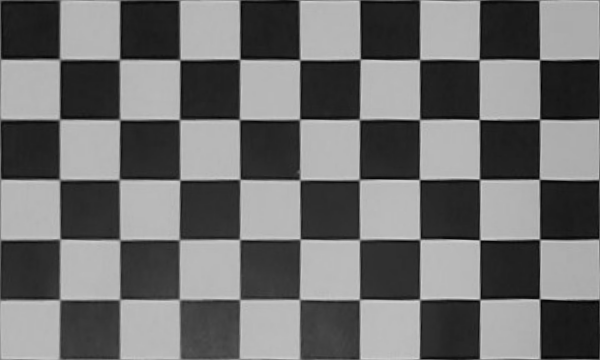 Facade examples cover detection and rectification workflows.
Single-config detection
Each detect_* function takes a single params struct. The chessboard
detector uses the workspace’s default_chess_config() for ChESS
corner detection automatically; ChArUco / PuzzleBoard / marker board
params embed a DetectorParams under params.chessboard.
#![allow(unused)]
fn main() {
use calib_targets::detect;
use calib_targets::chessboard::DetectorParams;
let img = image::open("board.png").unwrap().to_luma8();
let params = DetectorParams::default();
let result = detect::detect_chessboard(&img, ¶ms);
}Multi-config sweep
For challenging images (uneven lighting, Scheimpflug optics), try multiple parameter configs and keep the best result:
#![allow(unused)]
fn main() {
use calib_targets::detect;
use calib_targets::charuco::{CharucoBoardSpec, CharucoParams};
use calib_targets::aruco::builtins;

let img = image::open("charuco.png").unwrap().to_luma8();
let board = CharucoBoardSpec {
    rows: 22, cols: 22, cell_size: 1.0,
    marker_size_rel: 0.75,
    dictionary: builtins::DICT_4X4_1000,
    marker_layout: calib_targets::charuco::MarkerLayout::OpenCvCharuco,
};
let configs = CharucoParams::sweep_for_board(&board);
let result = detect::detect_charuco_best(&img, &configs);
}
sweep_for_board() returns three configs with different ChESS thresholds
(default, high, low). detect_charuco_best tries each and returns the result
with the most markers (then most corners).
PuzzleBoard follows the same facade shape:
#![allow(unused)]
fn main() {
use calib_targets::detect;
use calib_targets::puzzleboard::{PuzzleBoardParams, PuzzleBoardSpec};

let img = image::open("puzzleboard.png").unwrap().to_luma8();
let spec = PuzzleBoardSpec::new(10, 10, 12.0).unwrap();
let configs = PuzzleBoardParams::sweep_for_board(&spec);
let result = detect::detect_puzzleboard_best(&img, &configs);
}
Features
image(default): enablescalib_targets::detect.tracing: enables tracing output across the subcrates.
Examples
Examples live under crates/*/examples/ and are built per crate. Many examples accept a JSON config file (defaults point to testdata/ or tmpdata/), while the facade examples under calib-targets take an image path directly.
To run an example from the workspace root:
cargo run -p calib-targets-chessboard --example chessboard -- testdata/chessboard_config.json
Python examples live under crates/calib-targets-py/examples/ and use the calib_targets module.
After maturin develop, run them with an image path, for example:
python crates/calib-targets-py/examples/detect_charuco.py testdata/small2.png
python crates/calib-targets-py/examples/detect_puzzleboard.py testdata/puzzleboard_small.png
See the sub-chapters for what each example produces and how to interpret the outputs.
Chessboard Detection Example
Reference: crates/calib-targets/examples/detect_chessboard.rs —
end-to-end image-in / detection-out using the facade’s default
chessboard configuration.
Example output overlay for chessboard detection on testdata/mid.png.
Quick run
cargo run --release -p calib-targets --example detect_chessboard -- testdata/mid.png
The example:
- Decodes the image with
image::open(...).to_luma8(). - Calls
calib_targets::detect::detect_chessboard(&img, &DetectorParams::default()). - Prints the detected
Detection— labelled corner count, cell size, the two grid-direction angles, and every(i, j) → pixel_positionpair.
If detection fails (None), rerun with the _best helper, which
tries three pre-tuned configs (default + tighter + looser) and returns
whichever produced the most labelled corners:
cargo run --release -p calib-targets --example detect_chessboard_best -- testdata/mid.png
Instrumentation
calib_targets::detect::detect_chessboard_debug returns a
DebugFrame with the full per-stage trace — every input corner’s
terminal stage, per-validation-iteration labelled counts + blacklist,
booster deltas, and the final detection. This is the entry point for
everything the book’s overlay tooling and the testdata regression
harness consume.
cargo run --release -p calib-targets-chessboard \
  --example debug_single --features dataset -- \
  --image testdata/mid.png \
  --out-default /tmp/mid_default.json
Then render an overlay:
uv run python crates/calib-targets-py/examples/overlay_chessboard.py \
  --single-image testdata/mid.png \
  --frame-json /tmp/mid_default.json \
  --out /tmp/mid_default.png --tag default
The overlay draws labelled corners in gold with their (i, j) text,
blue/green grid edges, cluster-direction tangent lines, and the faint
grey input-corner cloud as context.
Direct crate-level usage
If you need control over the ChESS corner front-end (e.g., custom
ChessConfig), bypass the facade:
#![allow(unused)]
fn main() {
use calib_targets::detect::{default_chess_config, detect_corners};
use calib_targets_chessboard::{Detector, DetectorParams};
use image::ImageReader;

let img = ImageReader::open("board.png").unwrap().decode().unwrap().to_luma8();
let chess_cfg = default_chess_config();
let corners = detect_corners(&img, &chess_cfg);

let params = DetectorParams::default();
let detector = Detector::new(params);

if let Some(detection) = detector.detect(&corners) {
    println!(
        "{} corners, cell = {:.1} px, grid directions = {:?}",
        detection.target.corners.len(),
        detection.cell_size,
        detection.grid_directions,
    );
}
}
Detector::detect_all(&corners) returns every same-board component
found in the scene (see the chessboard chapter for
the multi-component contract).
Global Rectification Example
File: crates/calib-targets-chessboard/examples/rectify_global.rs
This example detects a chessboard and computes a single global homography to produce a rectified board view. The output includes:
Global rectification output from the small test image.
- A rectified grayscale image.
- A JSON report with homography matrices and grid bounds.
The code defaults to tmpdata/rectify_config.json, but a ready-made config exists in
testdata/rectify_config.json (input: testdata/small.png, rectified output:
tmpdata/rectified_small.png, report: tmpdata/charuco_report_small.json).
Run it with:
cargo run -p calib-targets-chessboard --example rectify_global -- testdata/rectify_config.json
If rectification succeeds, the rectified image is written to tmpdata/rectified.png unless
overridden in the config.
Mesh Rectification Example
File: crates/calib-targets-aruco/examples/rectify_mesh.rs
This example detects a chessboard, performs per-cell mesh rectification, and scans the rectified grid for ArUco markers. It writes:
Per-cell mesh rectification output from the small test image.
- A mesh-rectified grayscale image.
- A JSON report with rectification info and marker detections.
The code defaults to testdata/rectify_mesh_config_small0.json, and that config is a good
starting point (input: testdata/small0.png, mesh output: tmpdata/mesh_rectified_small0.png,
report: tmpdata/rectify_mesh_report_small0.json).
Run it with:
cargo run -p calib-targets-aruco --example rectify_mesh -- testdata/rectify_mesh_config_small0.json
This is a good reference for the full grid -> rectification -> marker scan pipeline.
Data and Tools
This repository includes data and scripts that support testing and debugging.
Data folders
testdata/: sample images and JSON configs used by examples and tests.
Tools
The tools/ folder contains helper scripts for visualization and synthetic data generation, for example:
- Overlay plotting for chessboard, marker, and ChArUco outputs.
- Synthetic marker target generation.
- Dictionary utilities.
These tools are optional but useful when debugging or extending detectors.
Roadmap
Known gaps against the v0.6.0 release.
Shipped in v0.6.0
- Chessboard detector rewrite.
calib-targets-chessboardis the invariant-first rewrite — precision-by-construction on a private regression dataset of blurred, lens-distorted frames (high detection rate, zero wrong labels). Types renamed:ChessboardDetector/ChessboardParams/ChessboardDetectionResult→Detector/DetectorParams/Detection. - Grid origin contract.
Detection.target.cornersis rebased to non-negative(i, j)with(0, 0)at the visual top-left (+iright,+jdown in image pixels). projective-gridstandalone surface. The line / local-H validator, the circular-statistics helpers, and the BFS growth (behind aGrowValidatortrait) live inprojective-gridwith no chessboard-specific dependencies.calib-targets-chessboardis the reference consumer.- Multi-component detection via
Detector::detect_all/detect_chessboard_all. Same-board contract only; multi-board scenes are out of scope. #[test]testdata regression harness. Per-image gates intestdata/chessboard_regression_baselines.jsoncovering mid, large, small0..5, andpuzzleboard_reference/example0..9.
Deferred — tracked follow-ups
- FFI rewrite.
calib-targets-ffistill mirrors the v1 chessboard param shape (with nestedgrid_graph_params/gap_fill/graph_cleanup/local_homography). Excluded from the workspace until the C-ABI surface is reshaped to the flatDetectorParamsand the 3265-linesrc/lib.rsis split into purpose-scoped modules. - Seed hoist. The pattern-agnostic BFS grow already lives in
projective_grid::square::growbehind aGrowValidatortrait. The siblingfind_seed+SeedCandidateFilterhoist is still in the chessboard crate — the seed finder’s 300-line chess coupling (Canonical/Swapped label split, axis-alignment classification at A, 2× spacing violation check) needs its own trait design pass. example1/example2follow-ups. Two puzzleboard-reference images are tagged in the regression harness withratchet_notes.example1validation loop oscillates (needs either highermax_validation_itersor an accept-best-intermediate mechanism);example2has a legitimate corner blacklisted by the edge-length cut under extreme view angle.
Open questions (from the chessboard spec §10)
- Degenerate axes (one axis with
sigma = π) — current: drop the corner. Could a single-axis attachment pathway recover recall? - Seed retry policy — current: try the next-best seed. A blacklist-and-research scheme might catch genuinely-bad seeds earlier.
- Distortion-curved lines — current: projective-line fit when ≥ 4 members, straight-line fallback. A true polynomial fit could absorb more distortion.
- Multi-seed growth — current: single seed, multi-component via post-hoc booster. A first-class multi-seed grower could reduce the Stage-8 dependency.
- Caller-provided cell-size hint — current: optional, mostly ignored. When could it tighten Stages 5–6 without compromising precision?
Contributions welcome.