Chessboard Detection Example
Reference: crates/calib-targets/examples/detect_chessboard.rs —
end-to-end image-in / detection-out using the facade’s default
chessboard configuration.
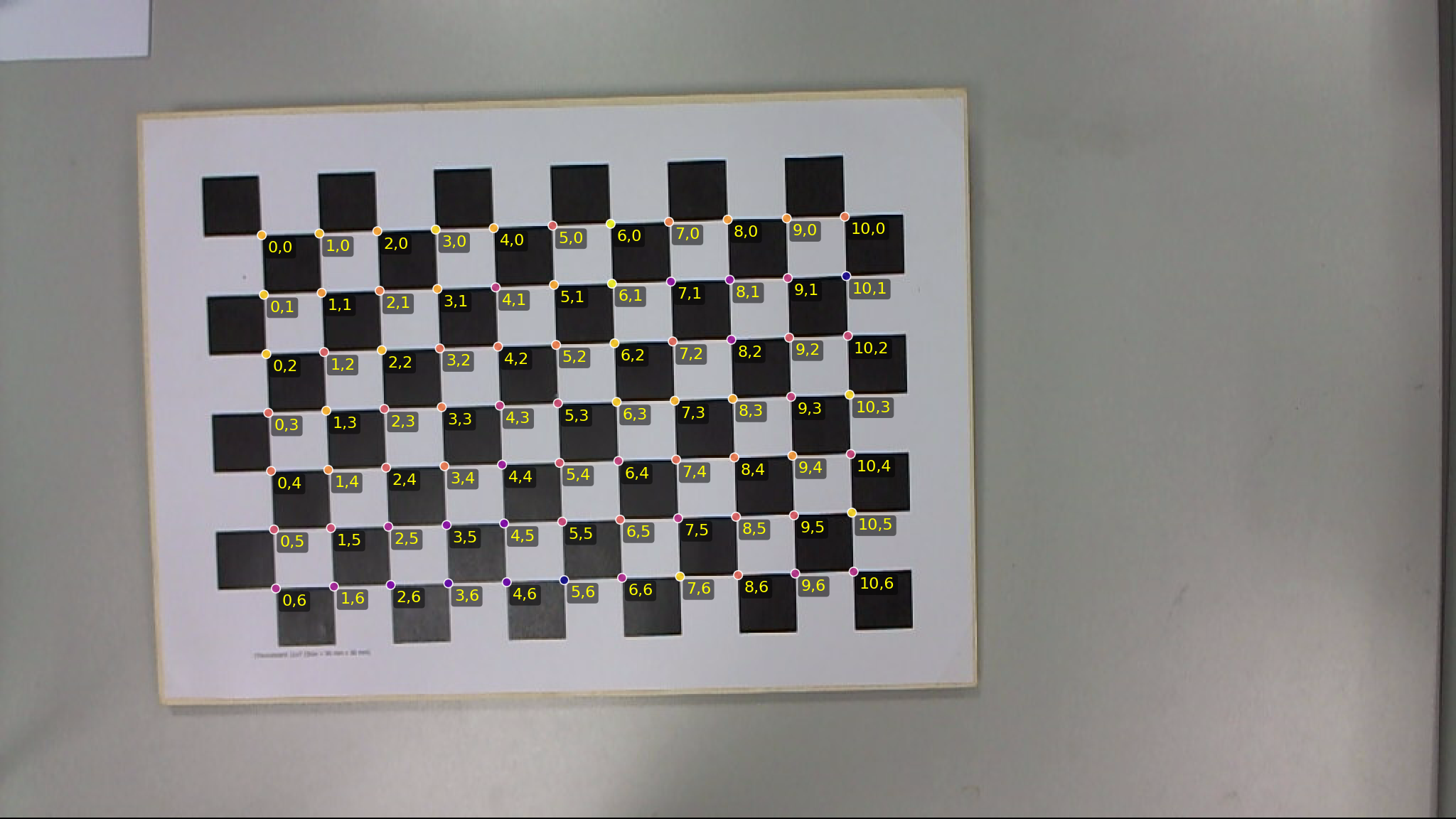 Example output overlay for chessboard detection on
 testdata/mid.png.
Quick run
cargo run --release -p calib-targets --example detect_chessboard -- testdata/mid.png
The example:
- Decodes the image with
image::open(...).to_luma8(). - Calls
calib_targets::detect::detect_chessboard(&img, &DetectorParams::default()). - Prints the detected
Detection— labelled corner count, cell size, the two grid-direction angles, and every(i, j) → pixel_positionpair.
If detection fails (None), rerun with the _best helper, which
tries three pre-tuned configs (default + tighter + looser) and returns
whichever produced the most labelled corners:
cargo run --release -p calib-targets --example detect_chessboard_best -- testdata/mid.png
Instrumentation
calib_targets::detect::detect_chessboard_debug returns a
DebugFrame with the full per-stage trace — every input corner’s
terminal stage, per-validation-iteration labelled counts + blacklist,
booster deltas, and the final detection. This is the entry point for
everything the book’s overlay tooling and the testdata regression
harness consume.
cargo run --release -p calib-targets-chessboard \
  --example debug_single --features dataset -- \
  --image testdata/mid.png \
  --out-default /tmp/mid_default.json
Then render an overlay:
uv run python crates/calib-targets-py/examples/overlay_chessboard.py \
  --single-image testdata/mid.png \
  --frame-json /tmp/mid_default.json \
  --out /tmp/mid_default.png --tag default
The overlay draws labelled corners in gold with their (i, j) text,
blue/green grid edges, cluster-direction tangent lines, and the faint
grey input-corner cloud as context.
Direct crate-level usage
If you need control over the ChESS corner front-end (e.g., custom
ChessConfig), bypass the facade:
#![allow(unused)]
fn main() {
use calib_targets::detect::{default_chess_config, detect_corners};
use calib_targets_chessboard::{Detector, DetectorParams};
use image::ImageReader;

let img = ImageReader::open("board.png").unwrap().decode().unwrap().to_luma8();
let chess_cfg = default_chess_config();
let corners = detect_corners(&img, &chess_cfg);

let params = DetectorParams::default();
let detector = Detector::new(params);

if let Some(detection) = detector.detect(&corners) {
    println!(
        "{} corners, cell = {:.1} px, grid directions = {:?}",
        detection.target.corners.len(),
        detection.cell_size,
        detection.grid_directions,
    );
}
}
Detector::detect_all(&corners) returns every same-board component
found in the scene (see the chessboard chapter for
the multi-component contract).